AIVizion HRMS Brochure
Talk to us

Artificial Intelligence Business Solutions LLC

AIVizion HRMS
Complete People Platform

A presentable overview of our Human Resource Management System — payroll, leave, recruitment, onboarding, offboarding, appraisal, and employee self-service — built for organizations in Oman and the GCC.

Muscat, Oman Multi-company ready Role-based & audit-ready
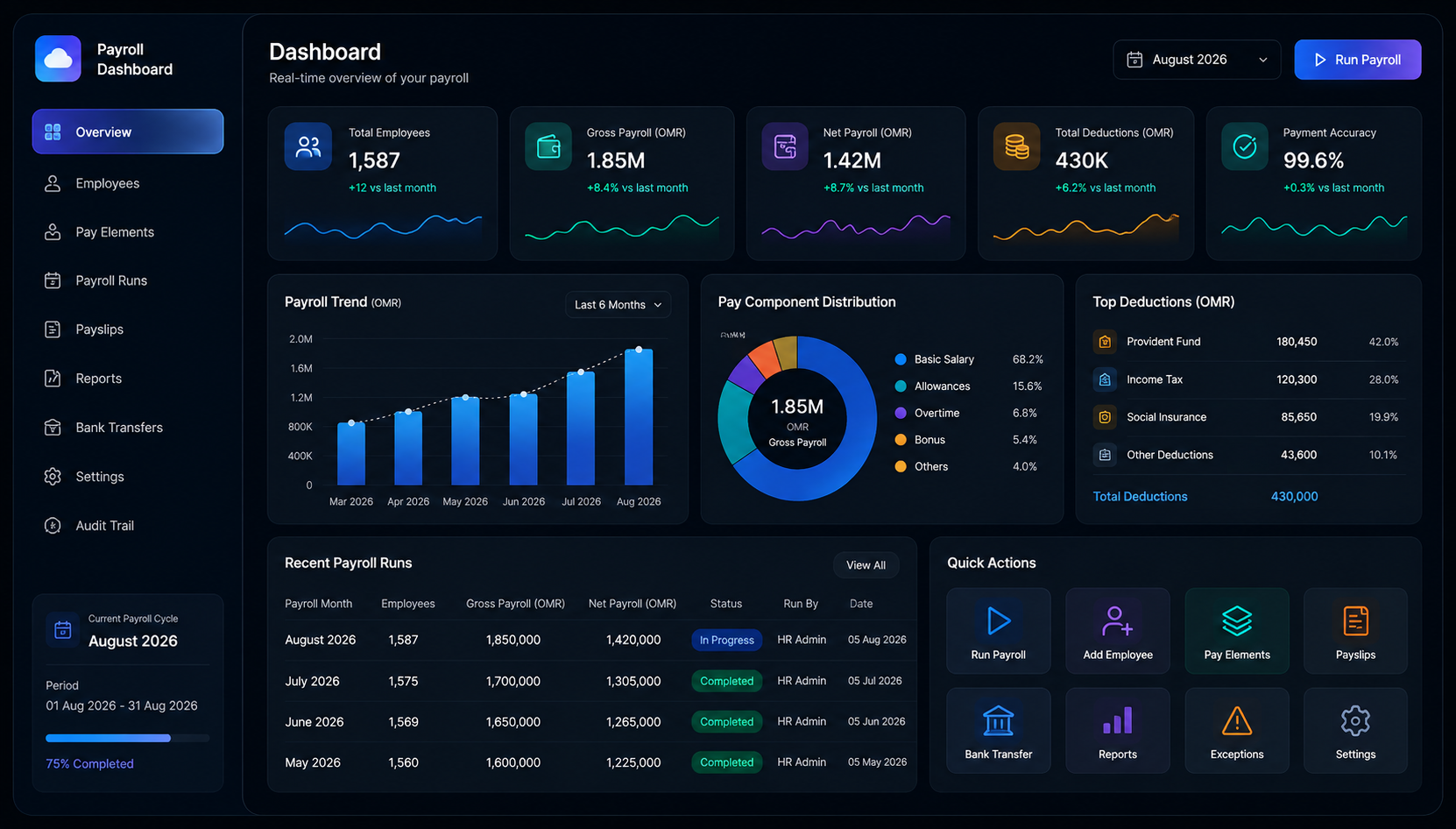
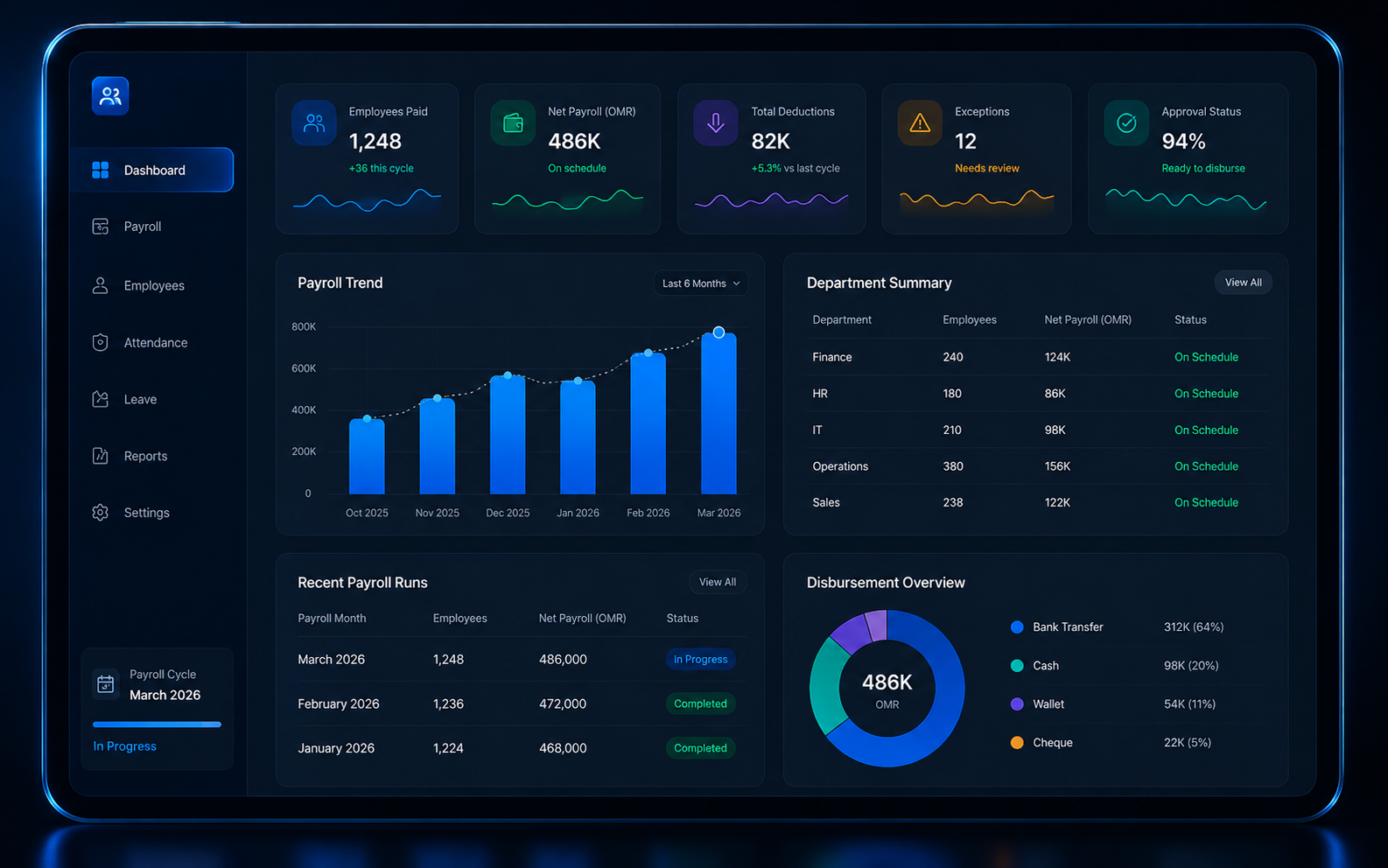
AIVizion HRMS payroll dashboard
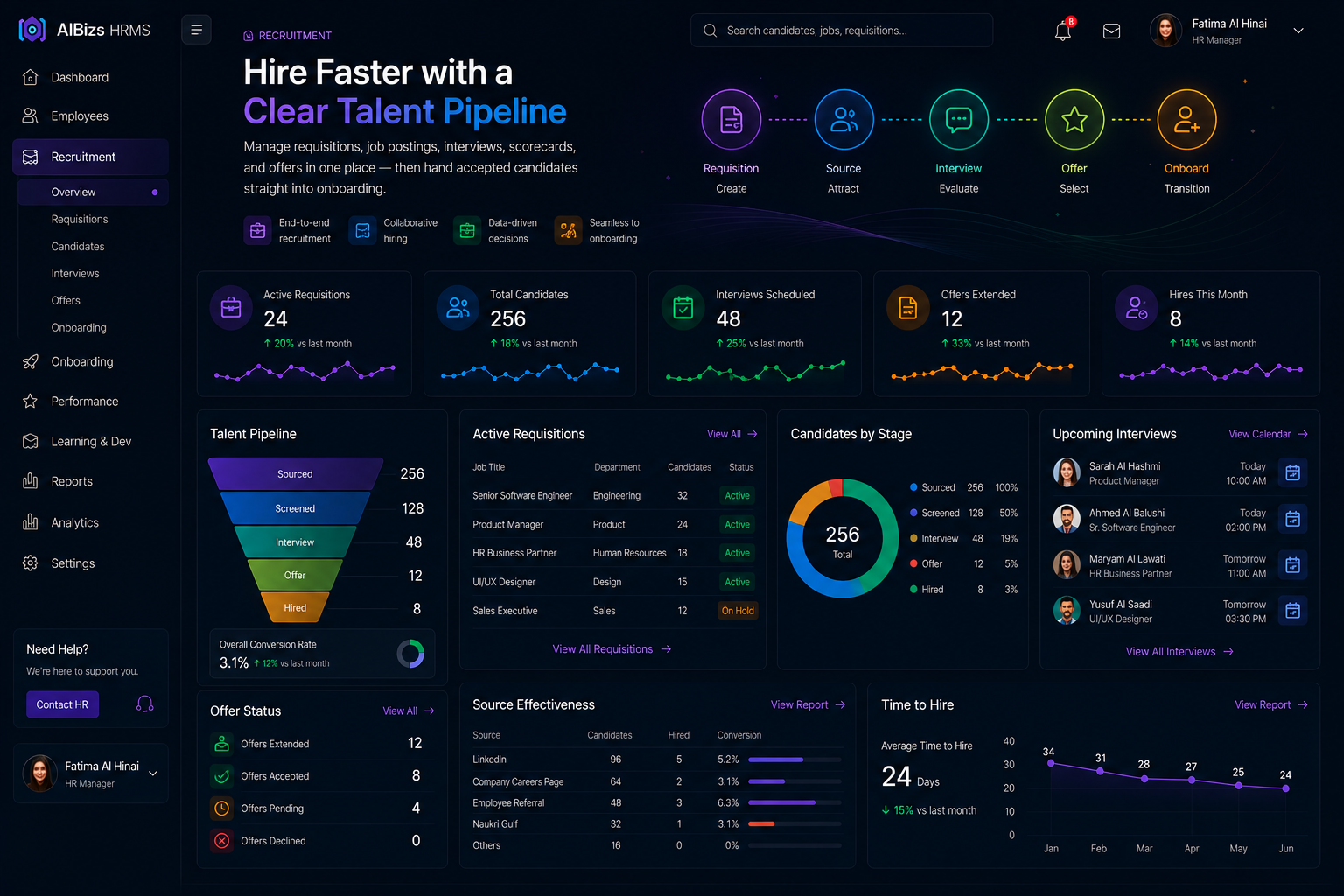
Recruitment pipeline Leave management dashboard

Platform overview

People operations, simplified

AIVizion HRMS centralizes the employee lifecycle — from hiring and onboarding to payroll, leave, performance, and offboarding — in one connected platform.

HR teams get dashboards and controlled workflows. Employees get self-service. Managers get clear approvals. Finance gets payroll outputs they can trust.

  • End-to-end employee lifecycle in one system
  • AI-assisted workflows across modules
  • Role-based access for HR, managers, and staff
  • Multi-company and multi-branch support
Employee self service Onboarding journey Appraisal dashboard Offboarding control

Module 01

Payroll

Automate salary processing, statutory deductions, payslips, and bank disbursement — built for Omani and GCC organizations that need accuracy, control, and audit-ready payroll every cycle.

One payroll engine for multi-company workforces across Oman and the GCC

Open full module page
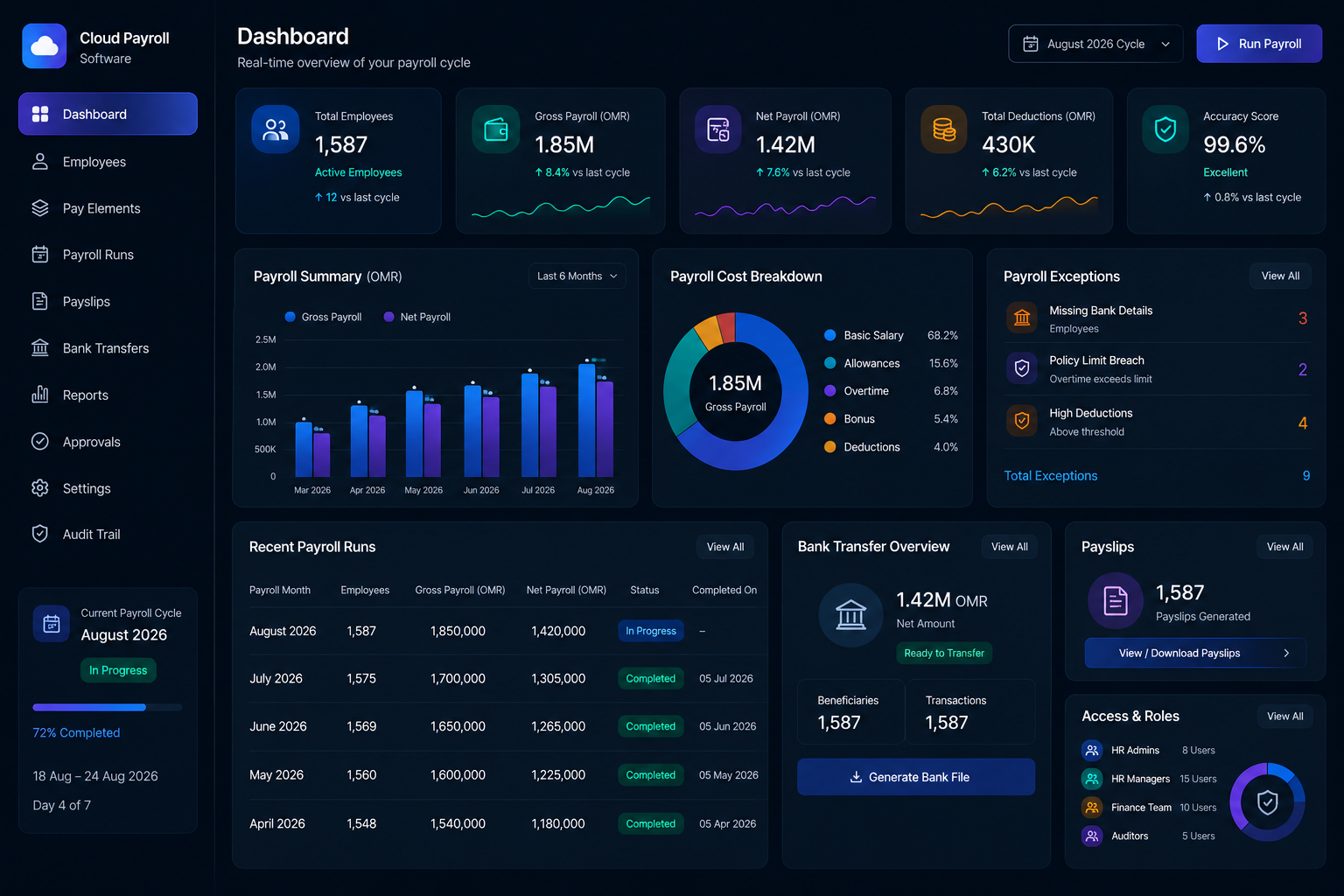
AIBizs payroll cycle dashboard
Cloud payroll salary engine and pay elements

Cloud Payroll Software

A simple, automated, and secure payroll module that puts HR and finance in control — without spreadsheet chaos. Configure pay elements once, then run accurate cycles every month.

  • Unlimited salary components, allowances, and deductions
  • Gross-to-net automation with exception checks
  • Payslips and bank transfer file generation
  • Role-based access for HR and finance teams
Integrated HR and payroll data sync

Integrated HR & Payroll

Say goodbye to disconnected systems. Payroll pulls leave, attendance, loans, and employee changes directly from AIVizion HRMS — one source of truth for people and pay.

  • Eliminate duplicate data entry between HR and payroll
  • Leave and overtime impact reflected automatically
  • Employee self-service payslip access
  • Finance-ready journals and cost-center reporting
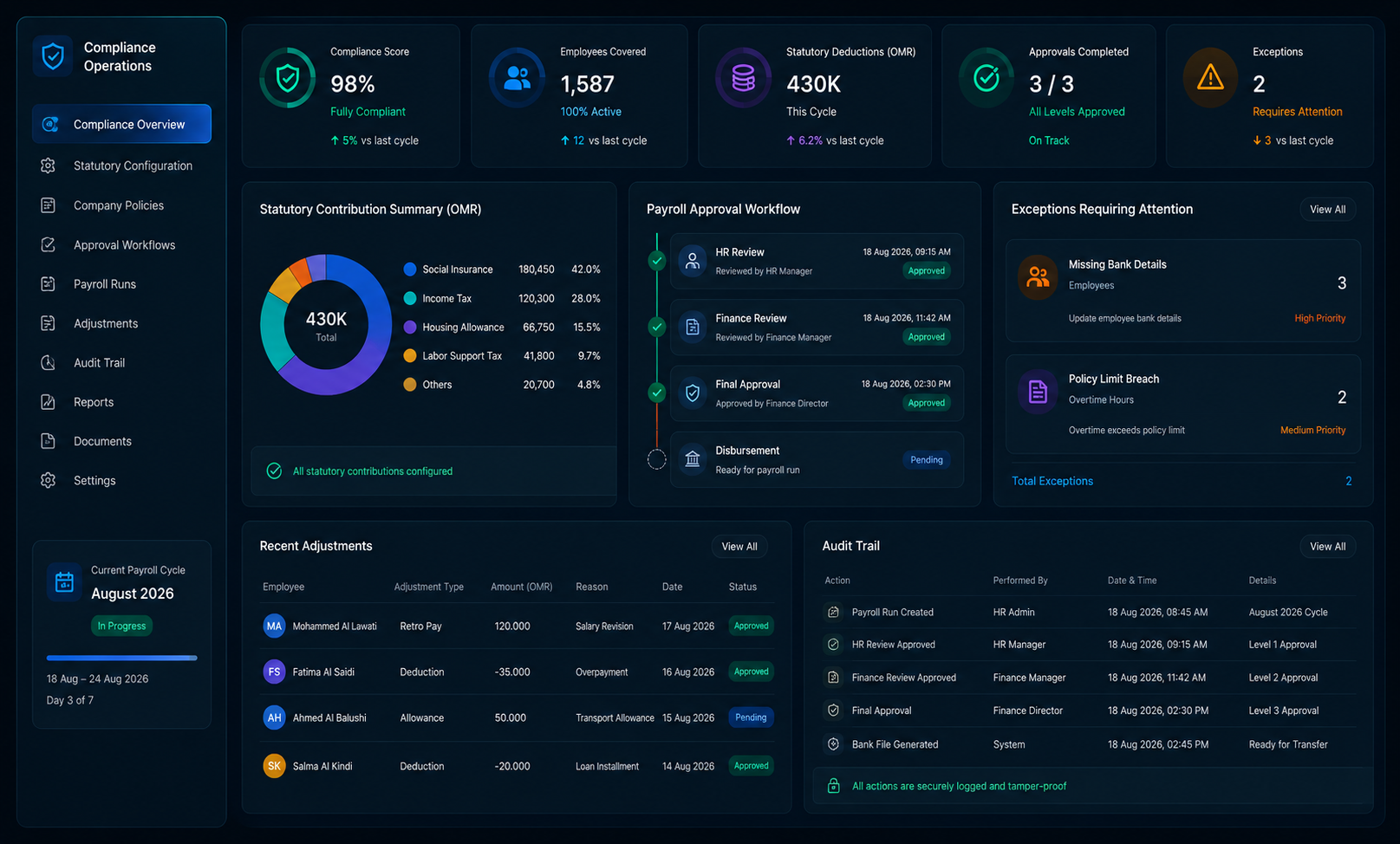
Payroll compliance and audit controls

Compliance-Ready Operations

Configure social insurance, labor-aligned rules, and company policies once. Every cycle runs with validation, approvals, and a full audit trail for leadership and auditors.

  • Statutory contribution and policy configuration
  • Multi-level payroll approval workflows
  • Retro pay and mid-cycle adjustments
  • Archived cycle history for audits

End-to-end process

01
Define Structures

Set grades, pay elements, overtime rules, and deduction policies.

02
Capture Inputs

Sync attendance, leave, loans, and one-time adjustments.

03
Calculate & Approve

Run gross-to-net with exception flags and approvals.

04
Disburse & Report

Issue payslips, bank files, journals, and statutory outputs.

  • Automated salary engine
  • Multi-company payroll
  • Payslips & bank files
  • Compliance controls
  • ERP / GL export
  • Payroll analytics
  • Employee self-serve payslips
  • Retro & adjustments

Module 02

Employee Self Service

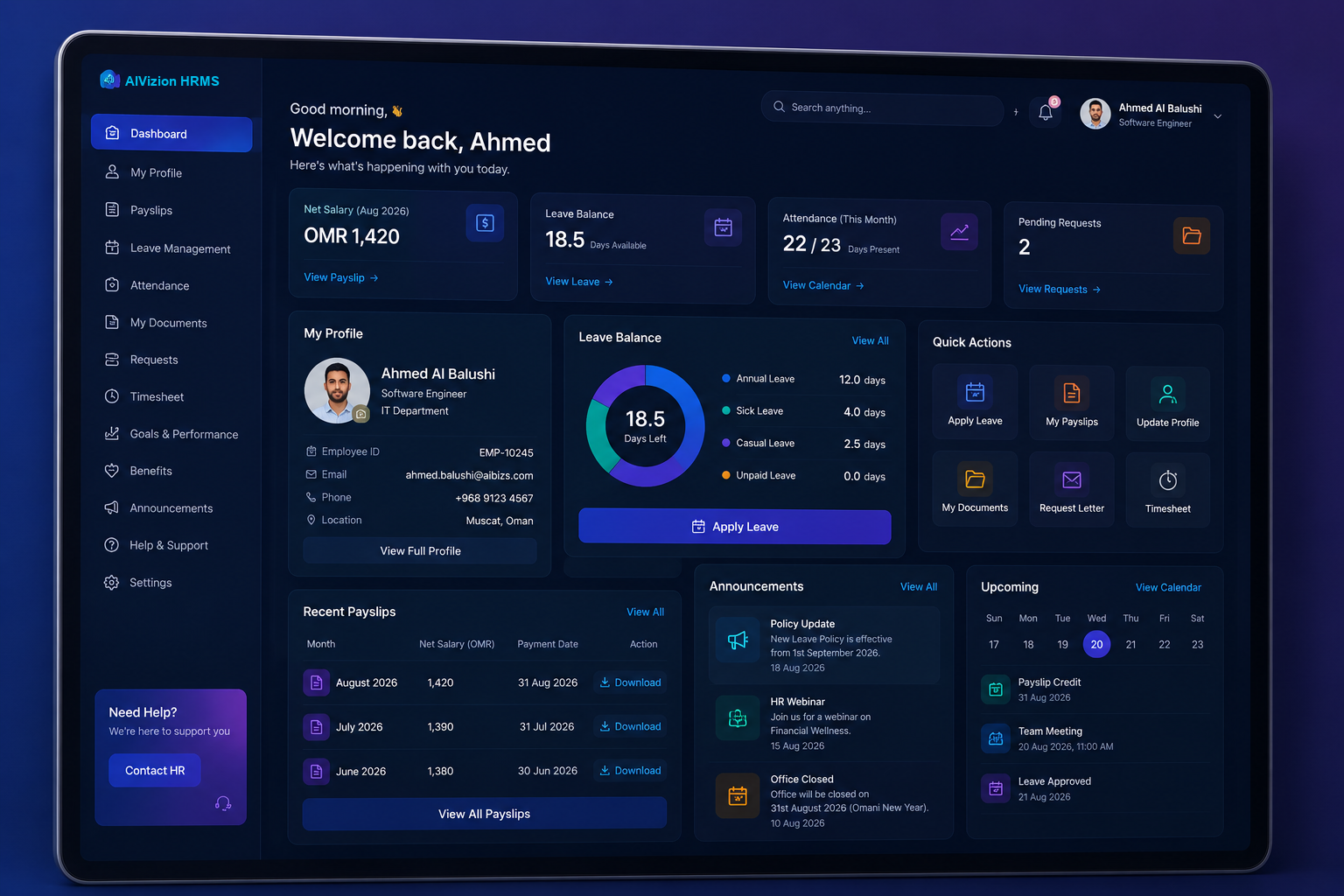
Give your workforce a modern portal to manage profiles, payslips, leave, and documents — cutting HR admin while improving everyday employee experience.

Fewer tickets. Faster answers. Better employee experience.

Open full module page
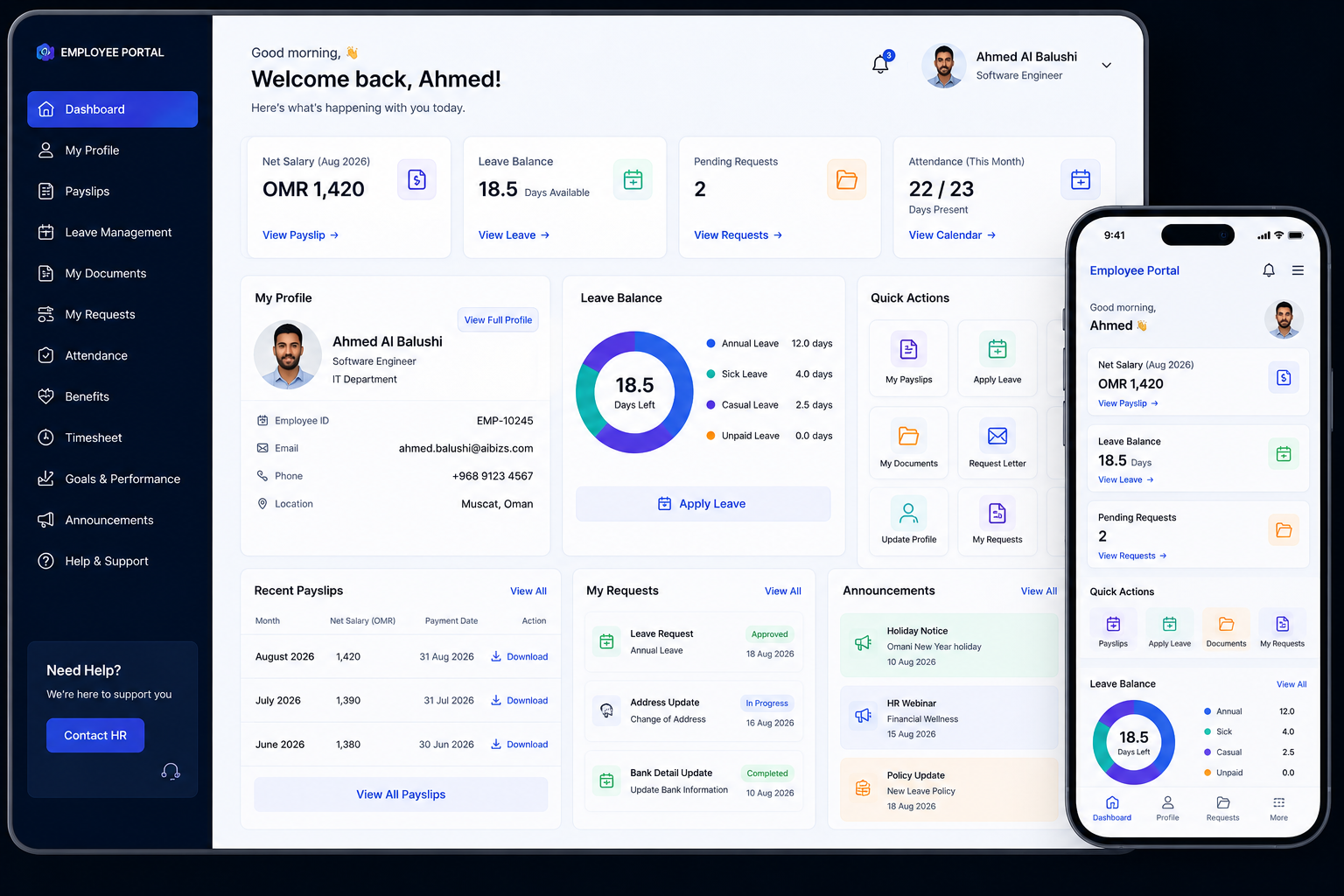
Employee self-service workplace dashboard
Employee portal quick actions and documents

Employee Portal

A clean, always-available workspace where employees handle routine HR tasks themselves — from any device, with permissions that protect sensitive data.

  • View and update personal and banking details
  • Download payslips and employment documents
  • Check leave balances and request status
  • Track open requests from submit to done
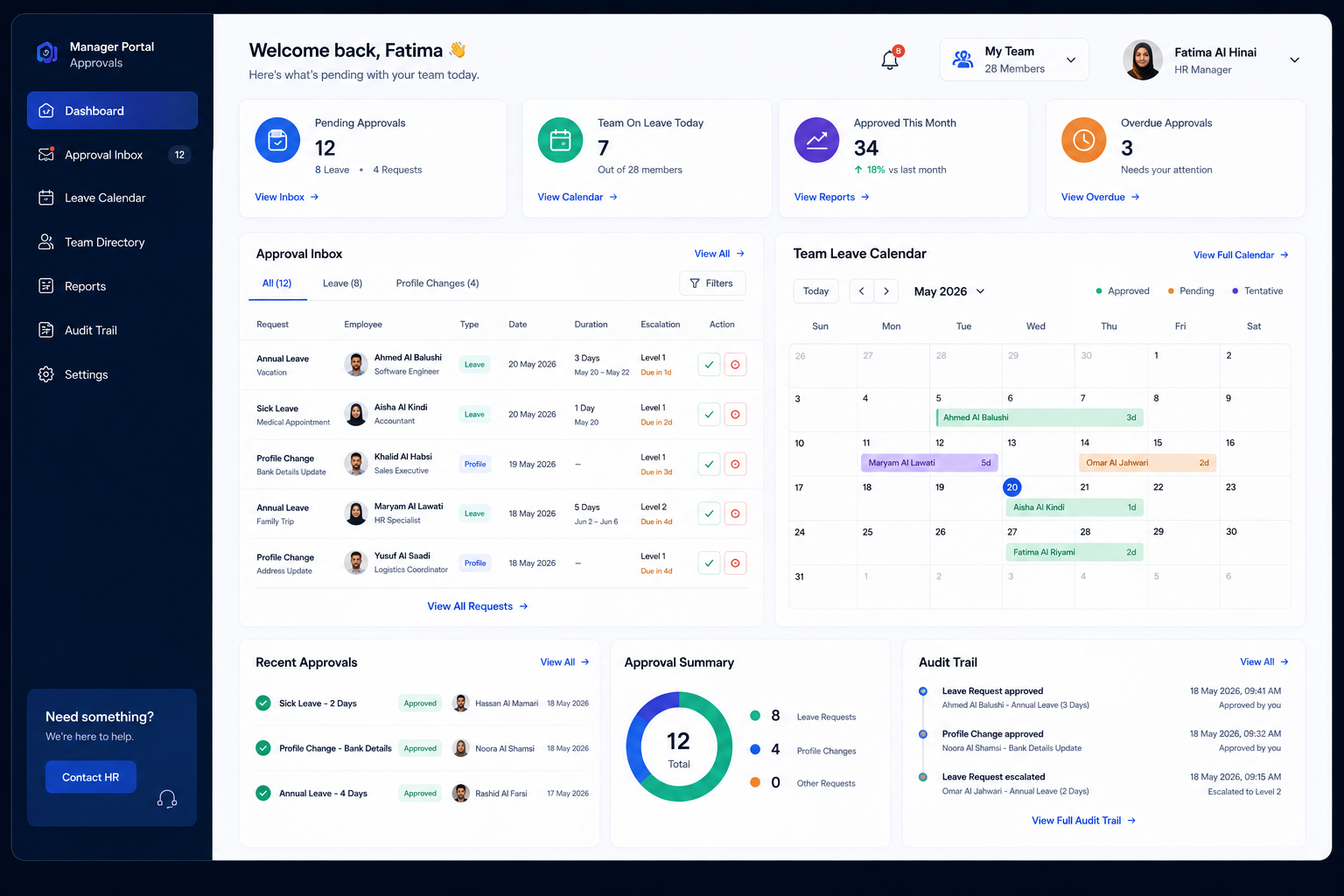
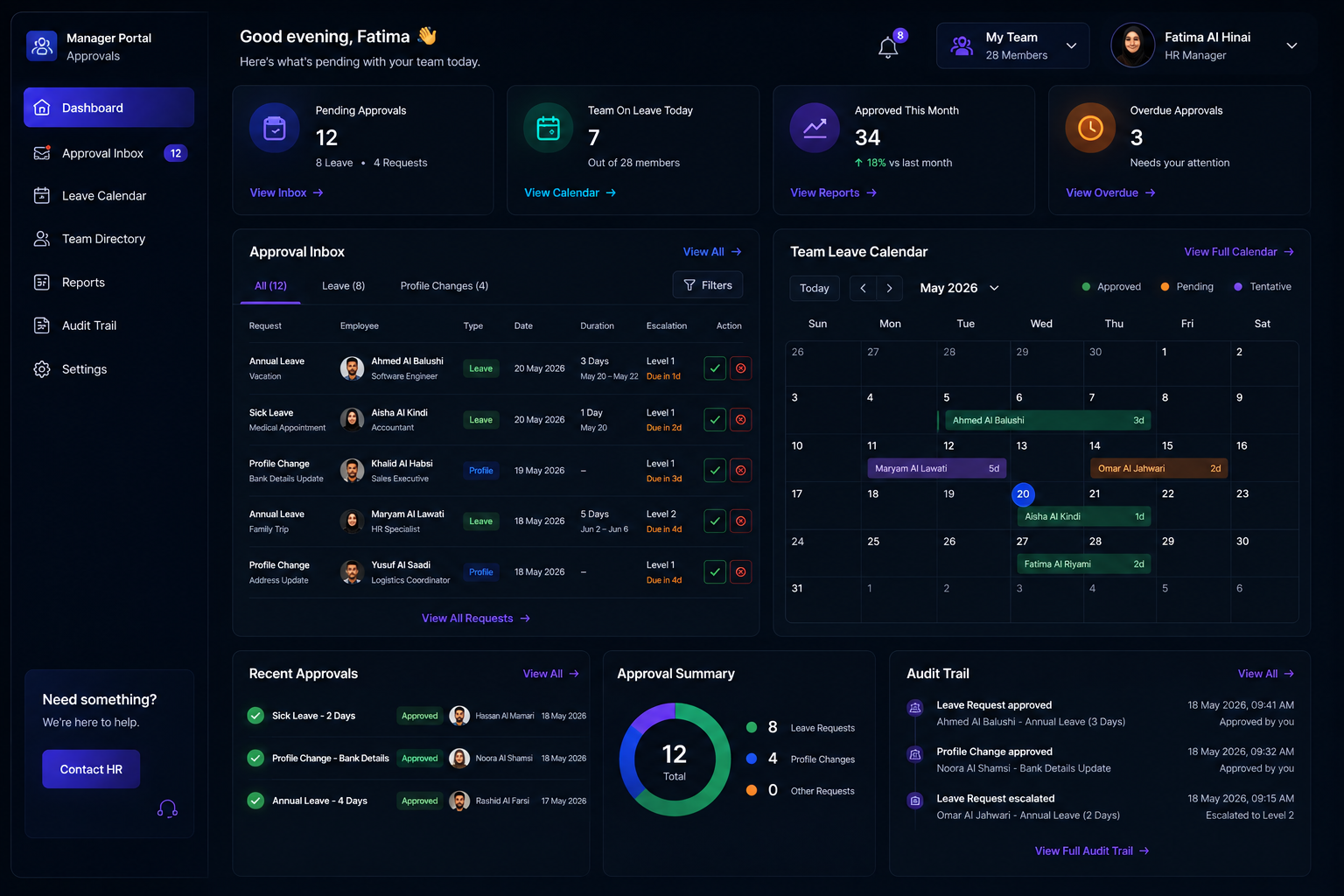
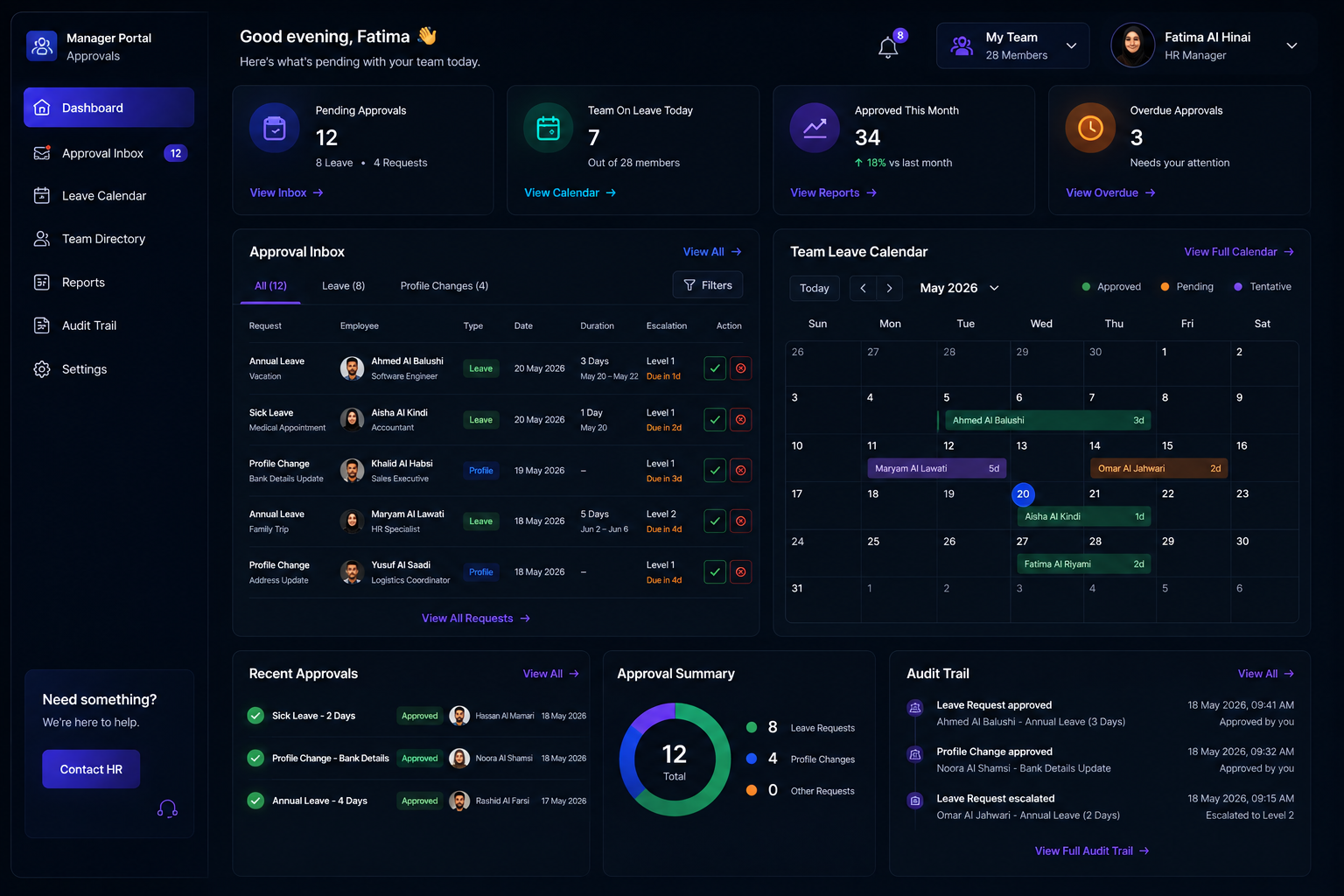
Manager approval inbox

Manager Approvals in One Place

Managers get clear queues for leave and profile changes — with notifications, history, and team context so decisions are fast and consistent.

  • Approval inbox with escalation paths
  • Visibility of team leave calendars
  • Reduced email chains and chasing
  • Full audit of who approved what
Role-based security for employee self-service

Secure by Design

Role-based access keeps employee, manager, and HR views separated. Multi-company setups stay isolated while still feeling like one HR platform.

  • HR, manager, and employee permission levels
  • Encrypted access to personal documents
  • Policy-aligned request forms
  • Mobile-responsive experience for field teams

End-to-end process

01
Secure Sign-In

Employees access ESS with role-based credentials.

02
Self-Serve

Update details, view payslips, and submit requests.

03
Approve

Managers review and approve in structured queues.

04
Sync

Changes flow into HR records, leave, and payroll.

  • Personal profile hub
  • Payslip download
  • Leave visibility
  • Document center
  • Smart notifications
  • Mobile-ready UI
  • Privacy controls
  • Request tracking

Module 03

Leave Management

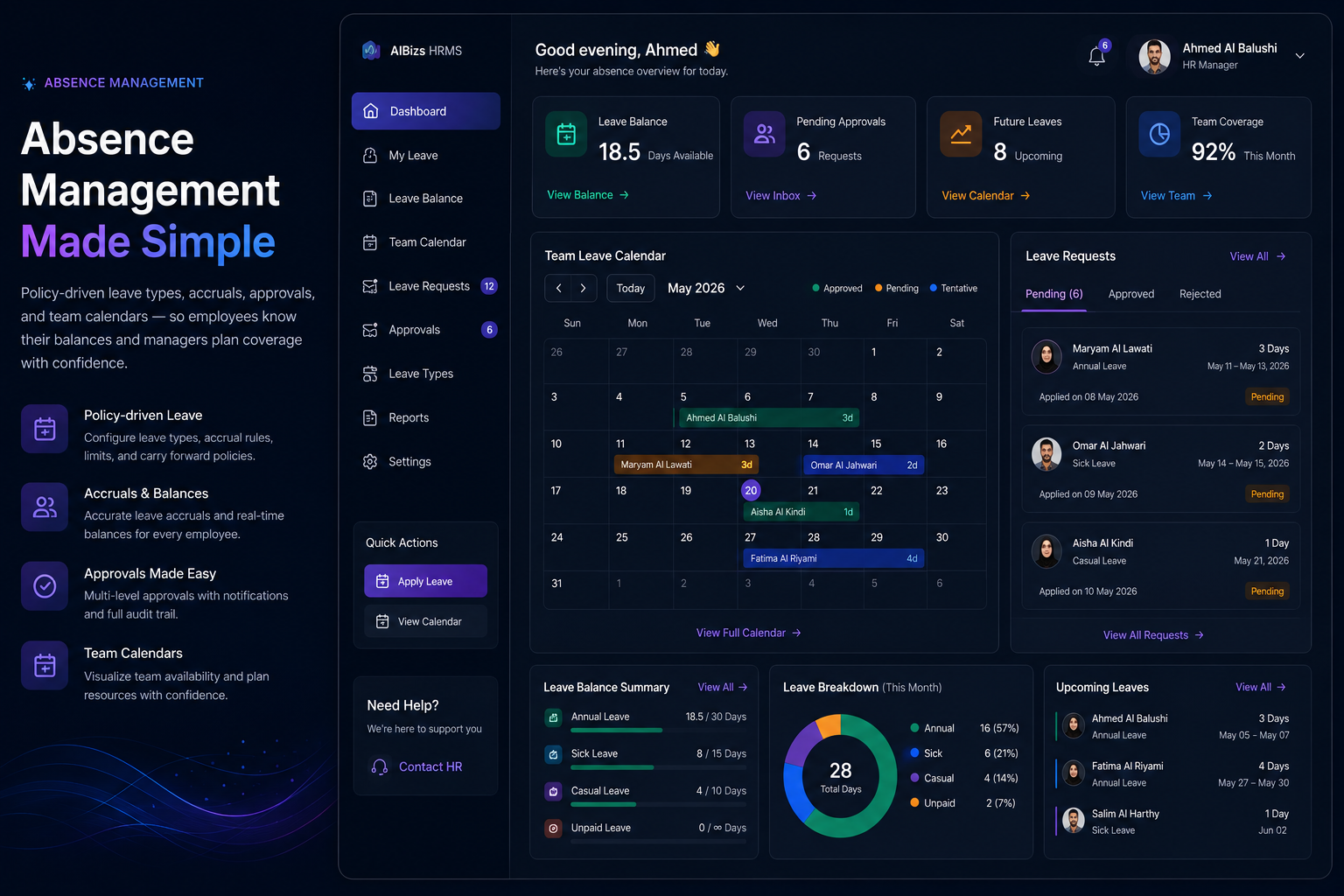
Policy-driven leave types, accruals, approvals, and team calendars — so employees know their balances and managers plan coverage with confidence.

Clear policies. Accurate balances. Faster approvals.

Open full module page
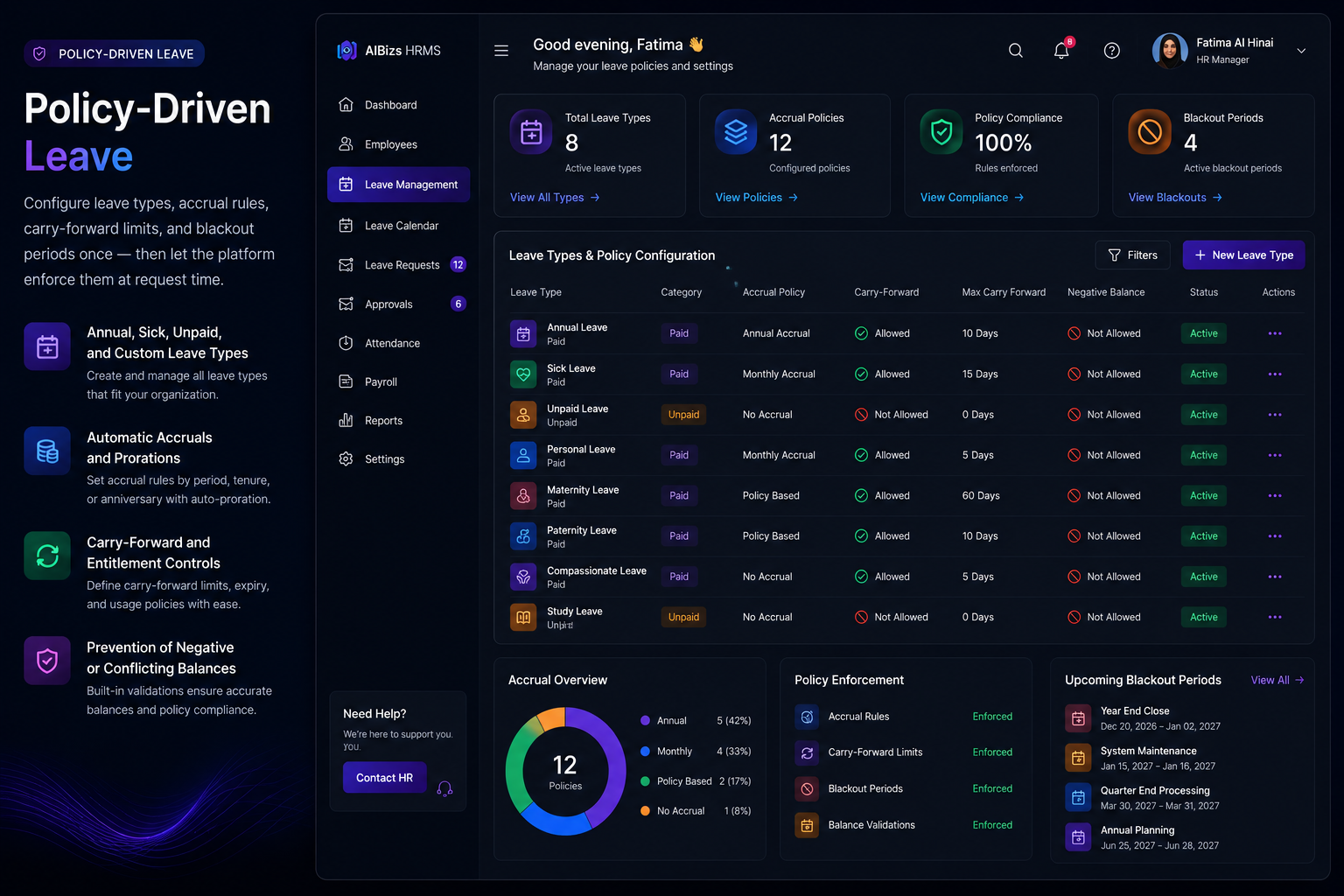
Leave management absence hub dashboard
Leave types and policy configuration

Policy-Driven Leave

Configure leave types, accrual rules, carry-forward limits, and blackout periods once — then let the platform enforce them at request time.

  • Annual, sick, unpaid, and custom leave types
  • Automatic accruals and prorations
  • Carry-forward and entitlement controls
  • Prevention of negative or conflicting balances
Leave approvals and team planning

Approvals & Team Planning

Managers see request impact against team calendars before approving — reducing coverage surprises and back-and-forth emails.

  • Multi-level approval workflows
  • Team absence calendar visibility
  • Attachment support for medical docs
  • Delegation when managers are away
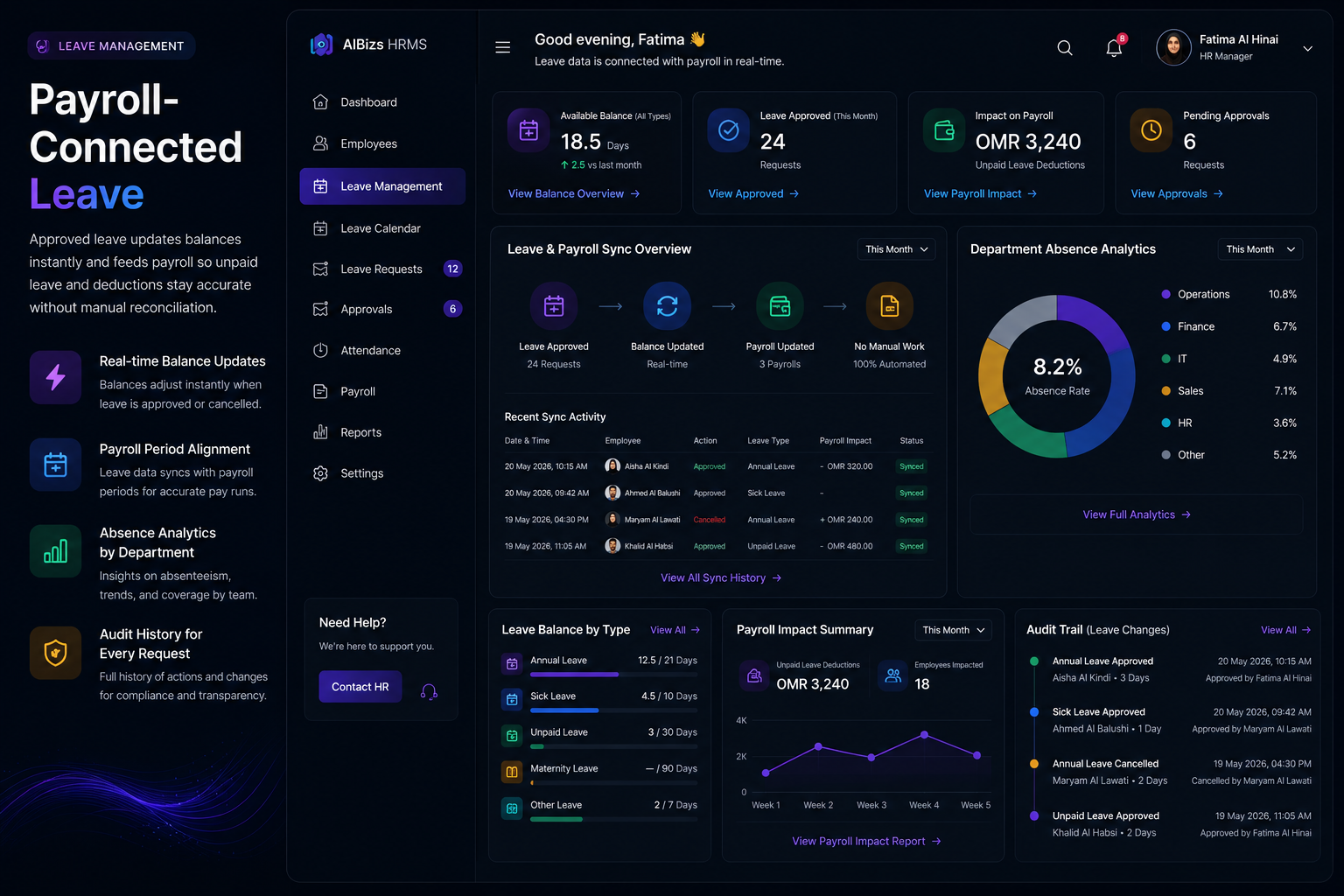
Leave outcomes synced to payroll

Payroll-Connected Leave

Approved leave updates balances instantly and feeds payroll so unpaid leave and deductions stay accurate without manual reconciliation.

  • Real-time balance updates
  • Payroll period alignment
  • Absence analytics by department
  • Audit history for every request

End-to-end process

01
Configure

Set leave types, accruals, and approval rules.

02
Request

Employees submit leave via self-service.

03
Approve

Managers review balances and team impact.

04
Sync

Balances and payroll outcomes update automatically.

  • Leave types & policies
  • Accrual engine
  • Approval workflows
  • Team calendars
  • Document attachments
  • Policy guards
  • Absence analytics
  • Payroll sync

Module 04

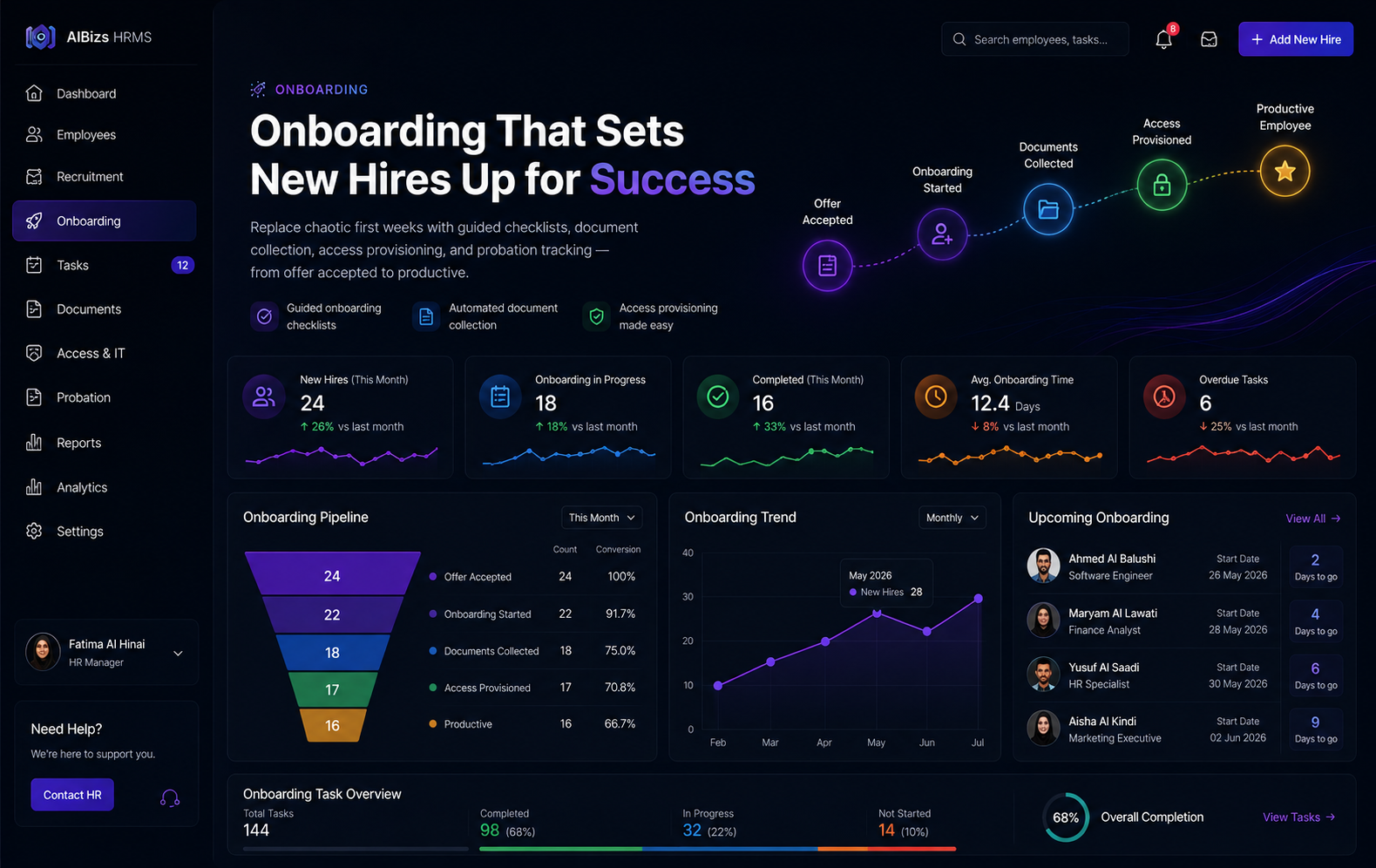
Employee Onboarding

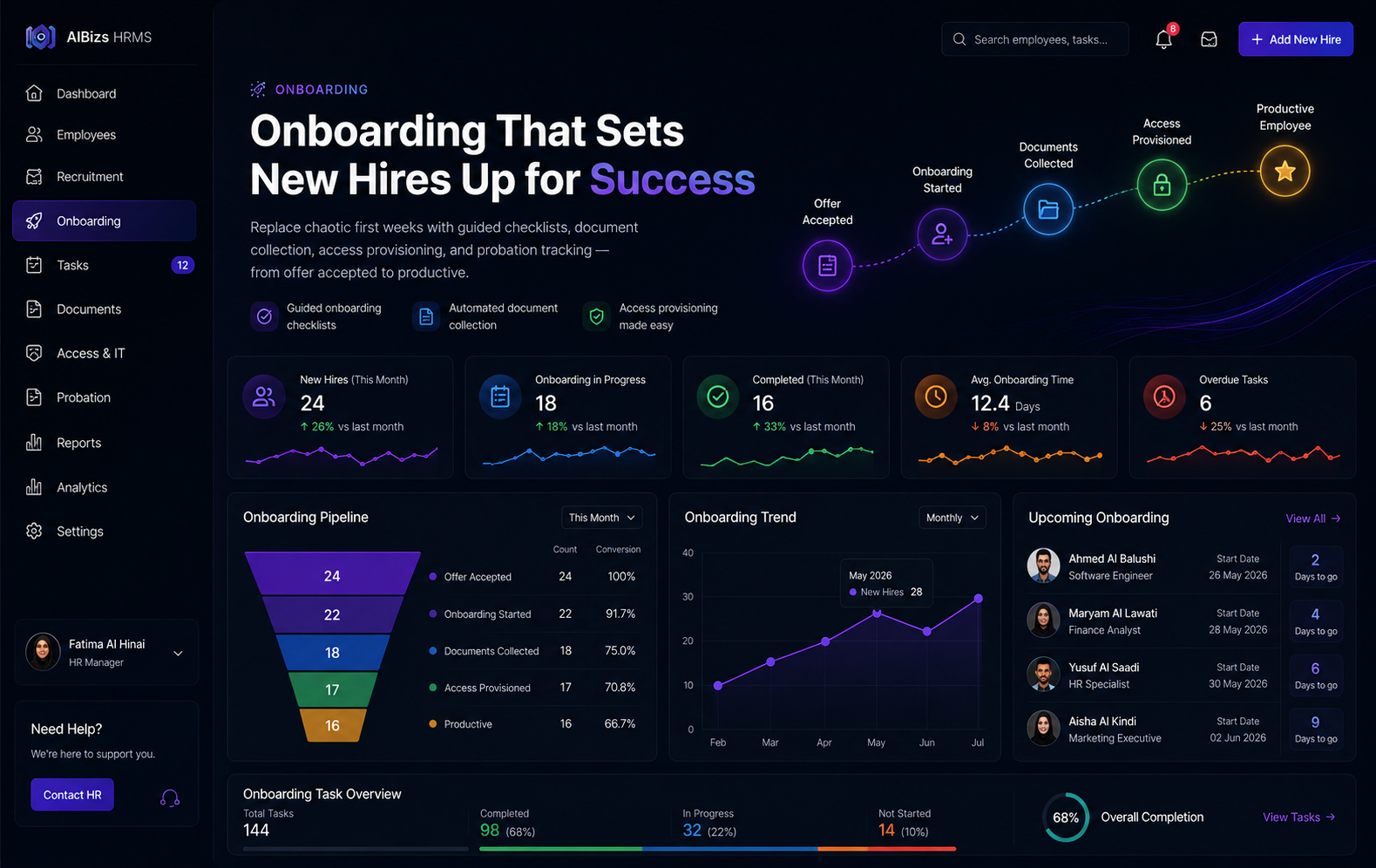
Replace chaotic first weeks with guided checklists, document collection, access provisioning, and probation tracking — from offer accepted to productive.

Faster ramp-up. Fewer missed steps. Better first impressions.

Open full module page
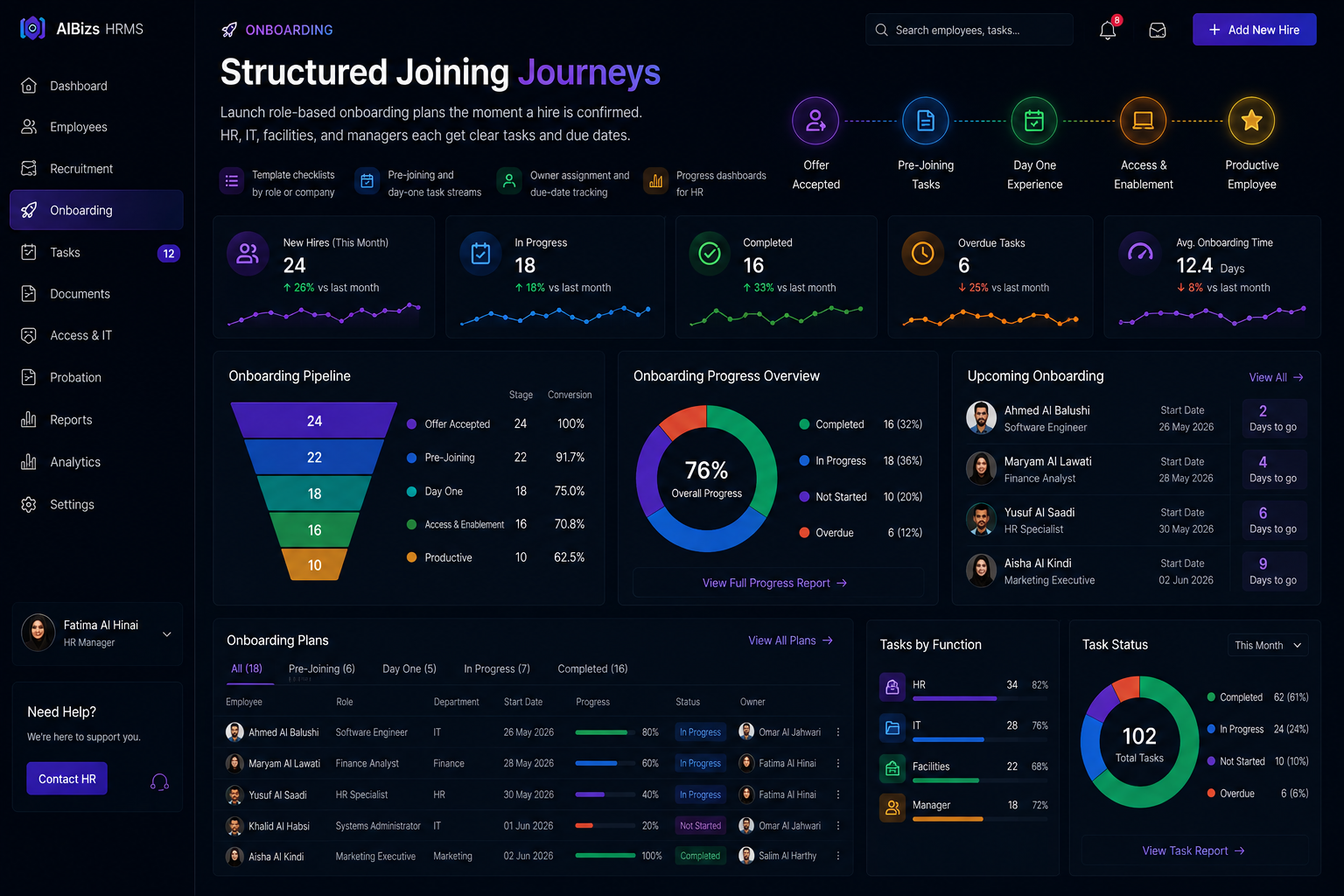
Employee onboarding journey dashboard
Structured onboarding checklist workflow

Structured Joining Journeys

Launch role-based onboarding plans the moment a hire is confirmed. HR, IT, facilities, and managers each get clear tasks and due dates.

  • Template checklists by role or company
  • Pre-joining and day-one task streams
  • Owner assignment and due-date tracking
  • Progress dashboards for HR
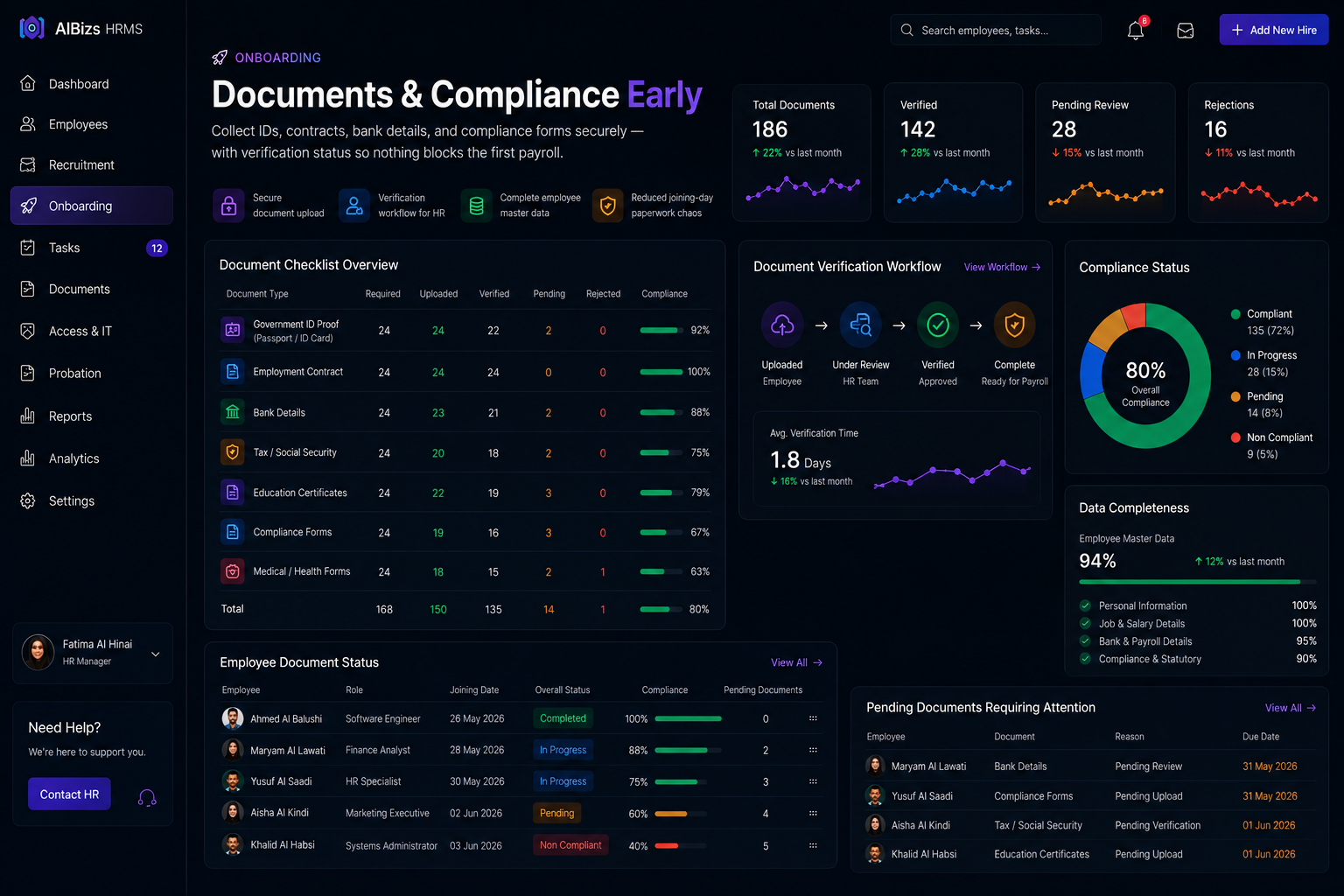
Onboarding document verification

Documents & Compliance Early

Collect IDs, contracts, bank details, and compliance forms securely — with verification status so nothing blocks the first payroll.

  • Secure document upload
  • Verification workflow for HR
  • Complete employee master data from day one
  • Reduced joining-day paperwork chaos
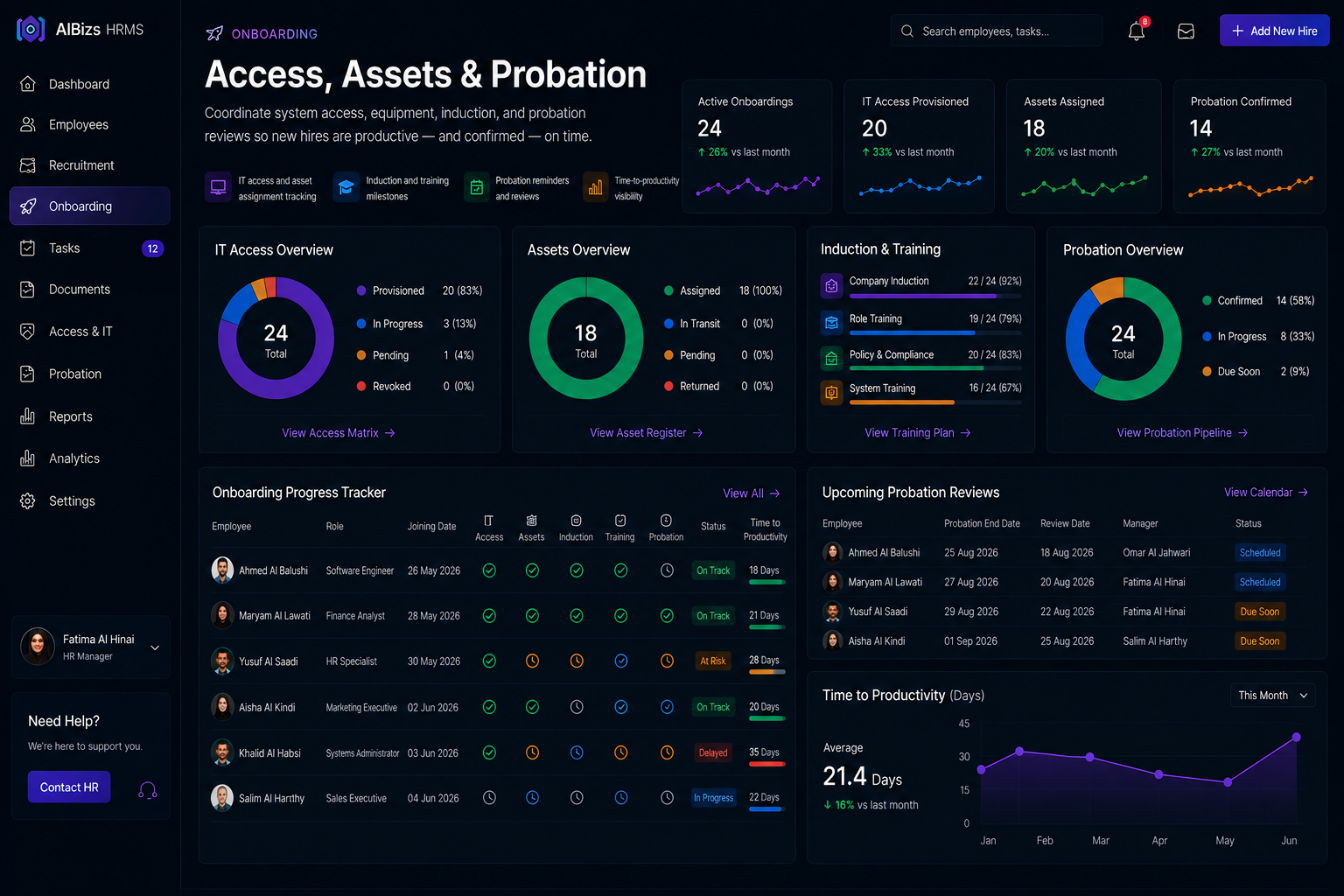
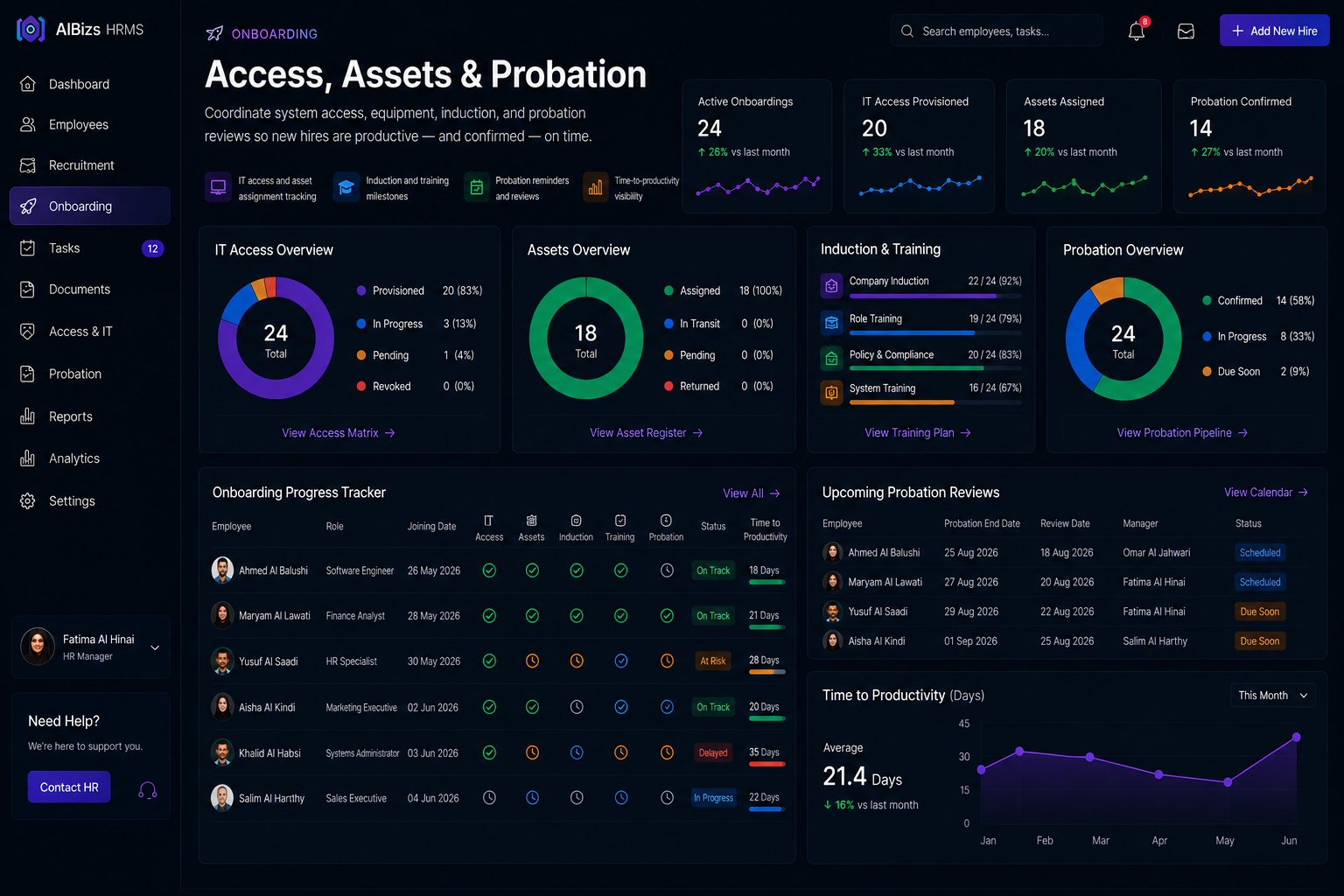
Access provisioning and probation tracking

Access, Assets & Probation

Coordinate system access, equipment, induction, and probation reviews so new hires are productive — and confirmed — on time.

  • IT access and asset assignment tracking
  • Induction and training milestones
  • Probation reminders and reviews
  • Time-to-productivity visibility

End-to-end process

01
Plan

Generate onboarding checklist from hire confirmation.

02
Collect

Gather documents and verify compliance forms.

03
Provision

Assign systems, assets, and workspace readiness.

04
Activate

Convert to employee record and track probation.

  • Onboarding checklists
  • Document collection
  • Profile creation
  • Access provisioning
  • Asset assignment
  • Induction tracking
  • Probation management
  • Onboarding KPIs

Module 05

Employee Offboarding

Manage resignations and terminations with clearance workflows, asset return, access revocation, and accurate final settlement — every exit audit-ready.

Protect assets. Settle fairly. Close the loop.

Open full module page
Employee offboarding exit control dashboard
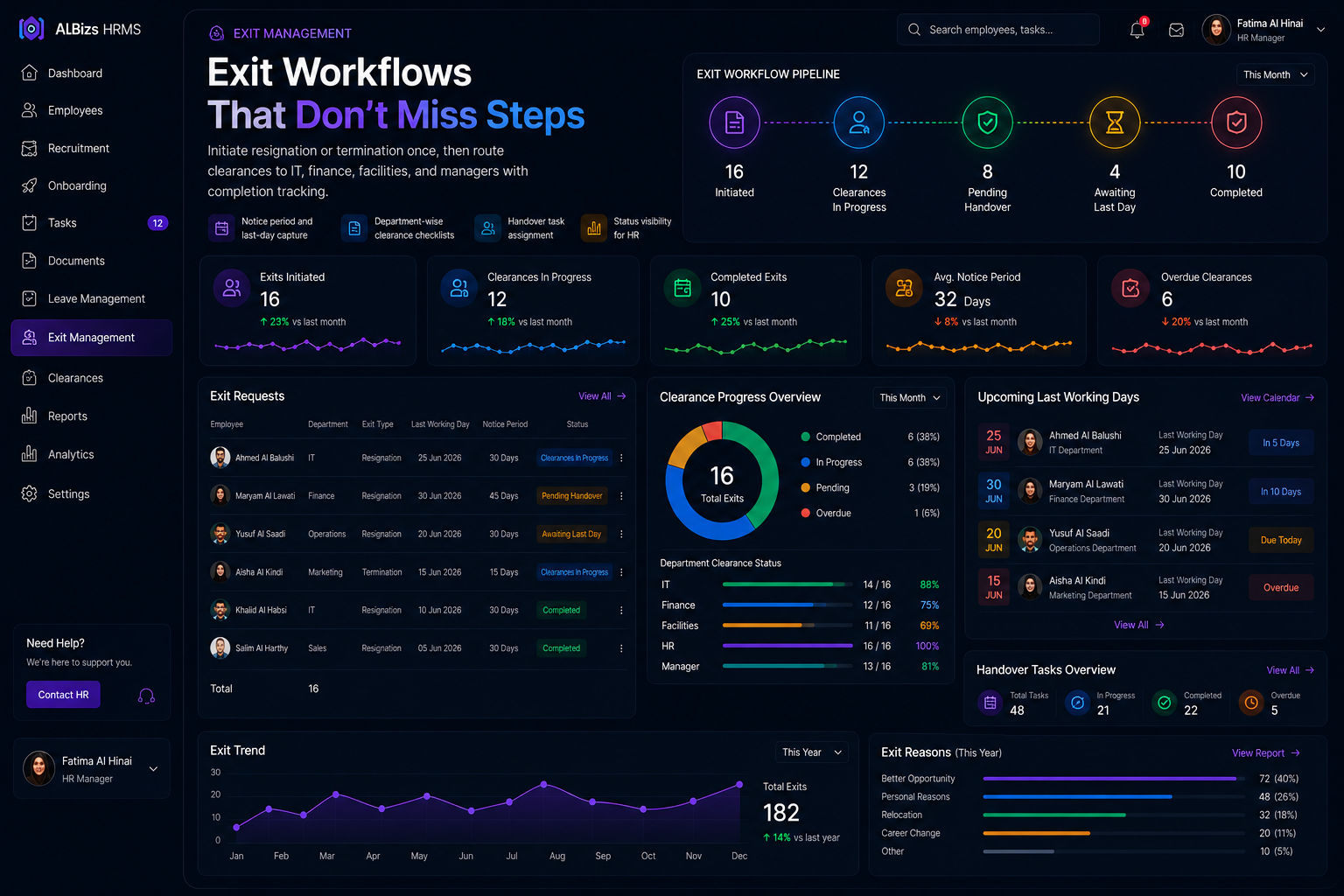
Cross-department exit clearance workflow

Exit Workflows That Don’t Miss Steps

Initiate resignation or termination once, then route clearances to IT, finance, facilities, and managers with completion tracking.

  • Notice period and last-day capture
  • Department-wise clearance checklists
  • Handover task assignment
  • Status visibility for HR
Asset return and access revocation

Assets & Access Control

Confirm device returns and revoke system access on schedule — reducing security and inventory risk when people leave.

  • Laptop, phone, and badge recovery
  • Email and system access shutdown
  • Building access coordination
  • Logged clearance history
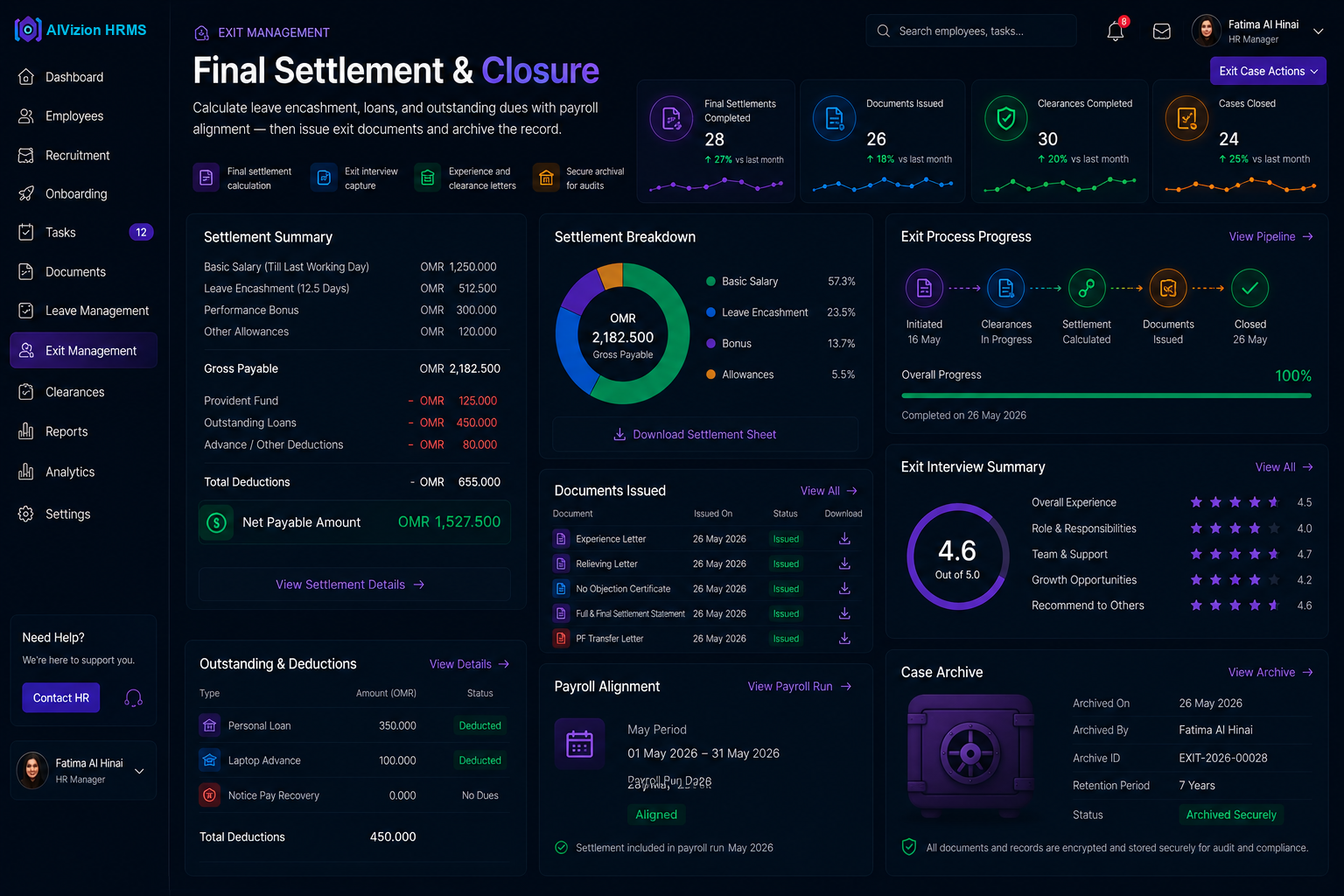
Final settlement calculation dashboard

Final Settlement & Closure

Calculate leave encashment, loans, and outstanding dues with payroll alignment — then issue exit documents and archive the record.

  • Final settlement calculation
  • Exit interview capture
  • Experience and clearance letters
  • Secure archival for audits

End-to-end process

01
Initiate

Capture exit type, notice terms, and last working day.

02
Clear

Complete department clearances and asset returns.

03
Settle

Calculate final dues with payroll inputs.

04
Close

Revoke access, issue documents, and archive.

  • Exit initiation
  • Clearance workflow
  • Asset recovery
  • Access revocation
  • Final settlement
  • Exit interviews
  • Exit documents
  • Secure archival

Module 06

Appraisal

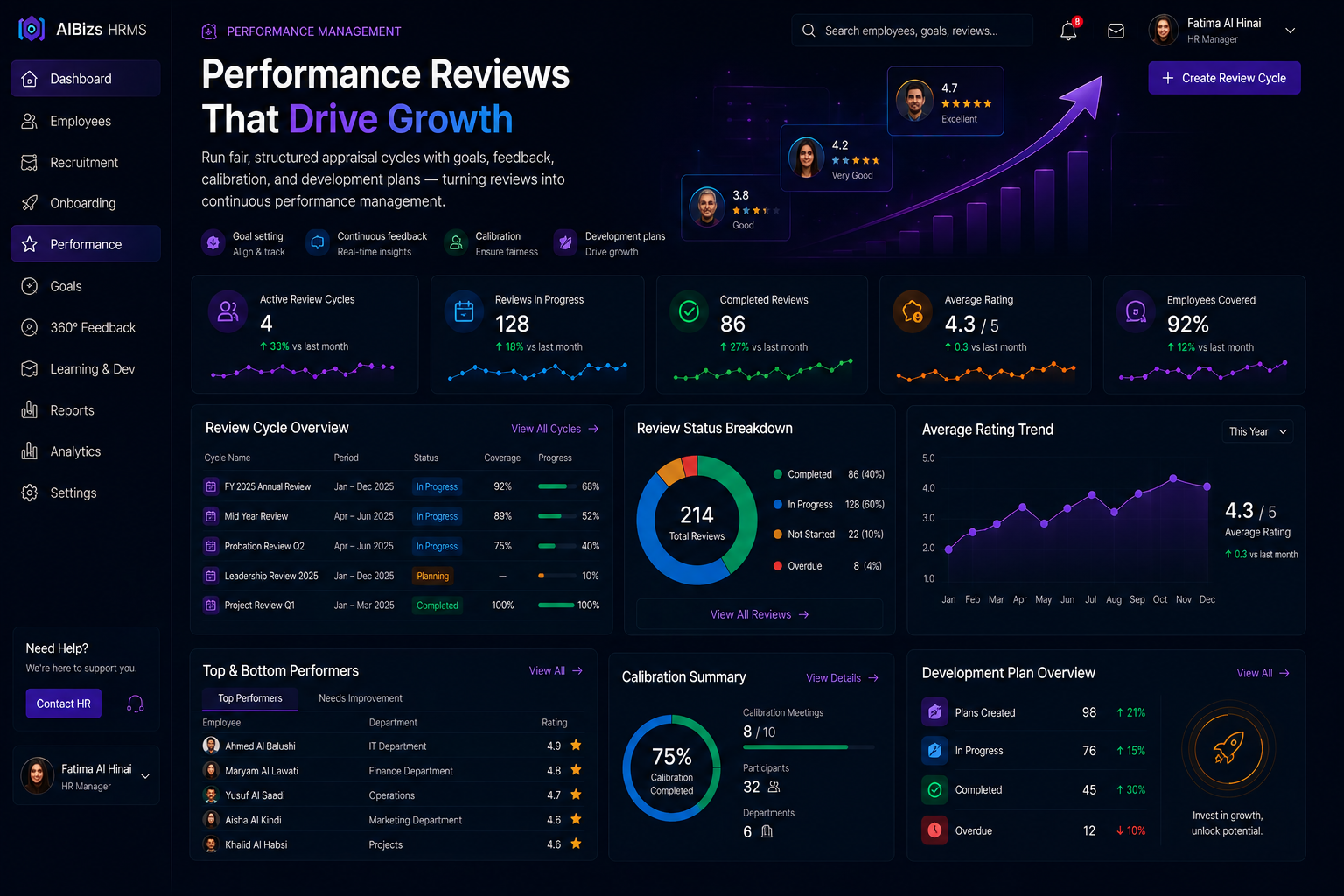
Run fair, structured appraisal cycles with goals, feedback, calibration, and development plans — turning reviews into continuous performance management.

Aligned goals. Fairer ratings. Actionable outcomes.

Open full module page
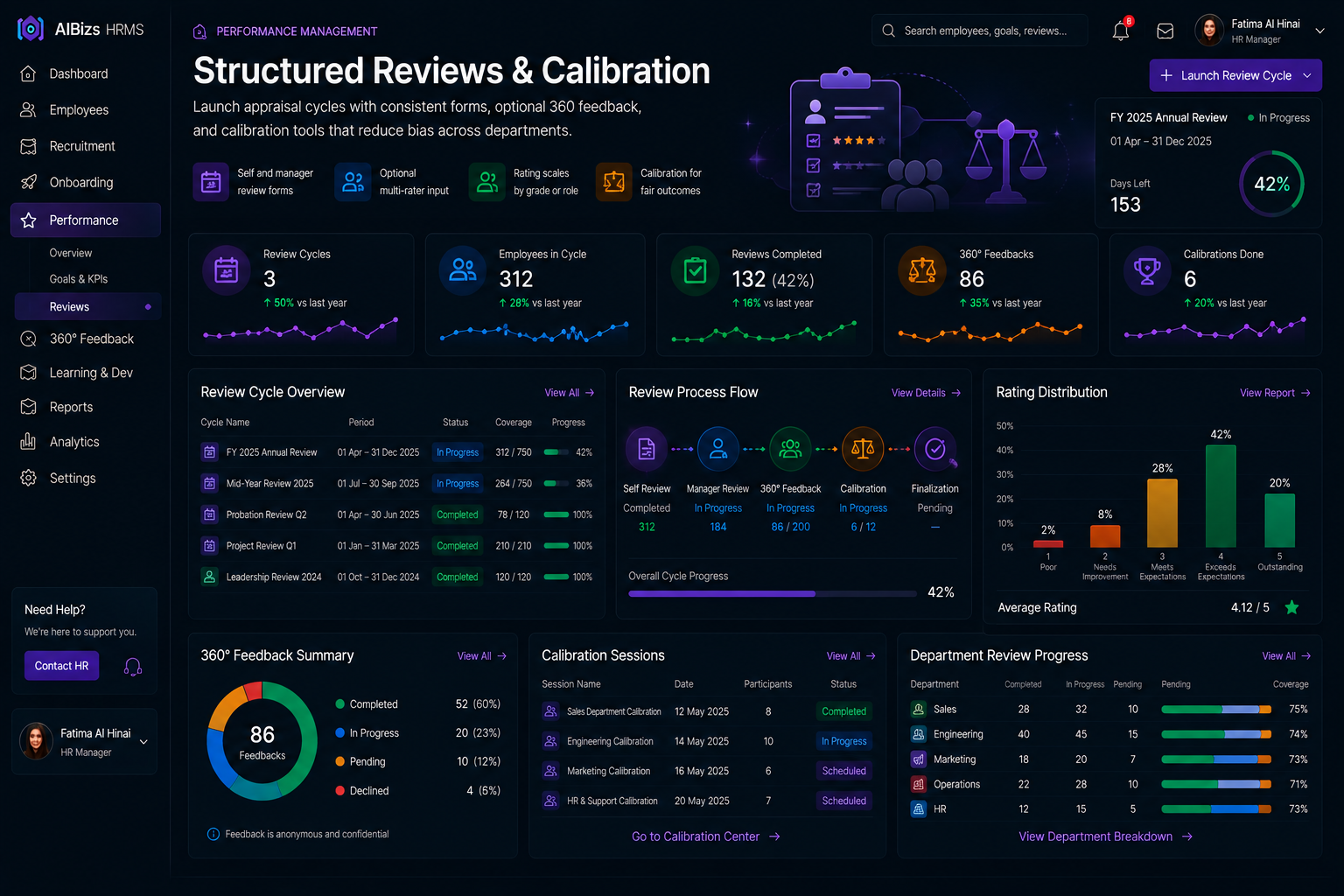
Performance appraisal cycle dashboard
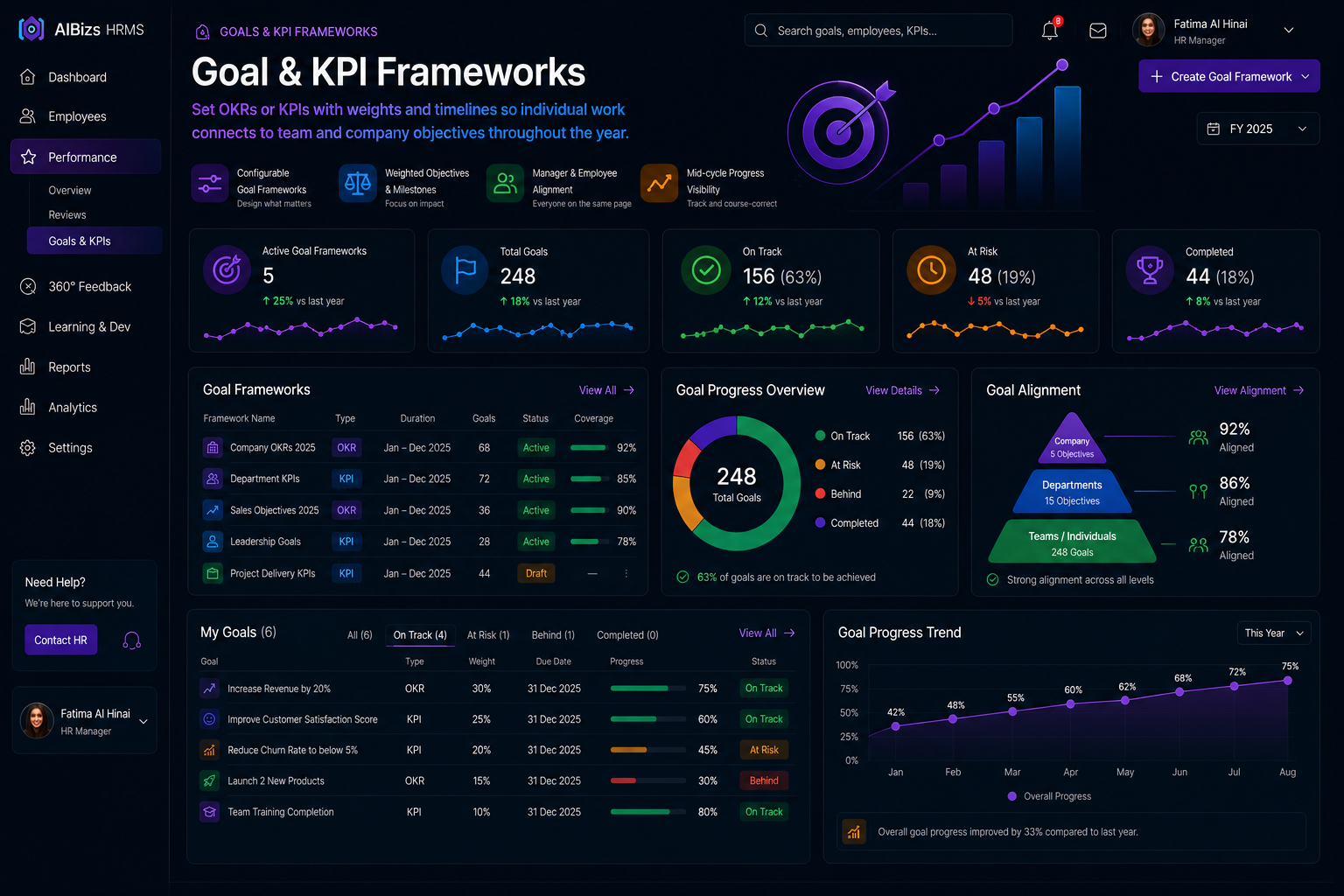
Goals and KPI tracking dashboard

Goal & KPI Frameworks

Set OKRs or KPIs with weights and timelines so individual work connects to team and company objectives throughout the year.

  • Configurable goal frameworks
  • Weighted objectives and milestones
  • Manager and employee alignment
  • Mid-cycle progress visibility
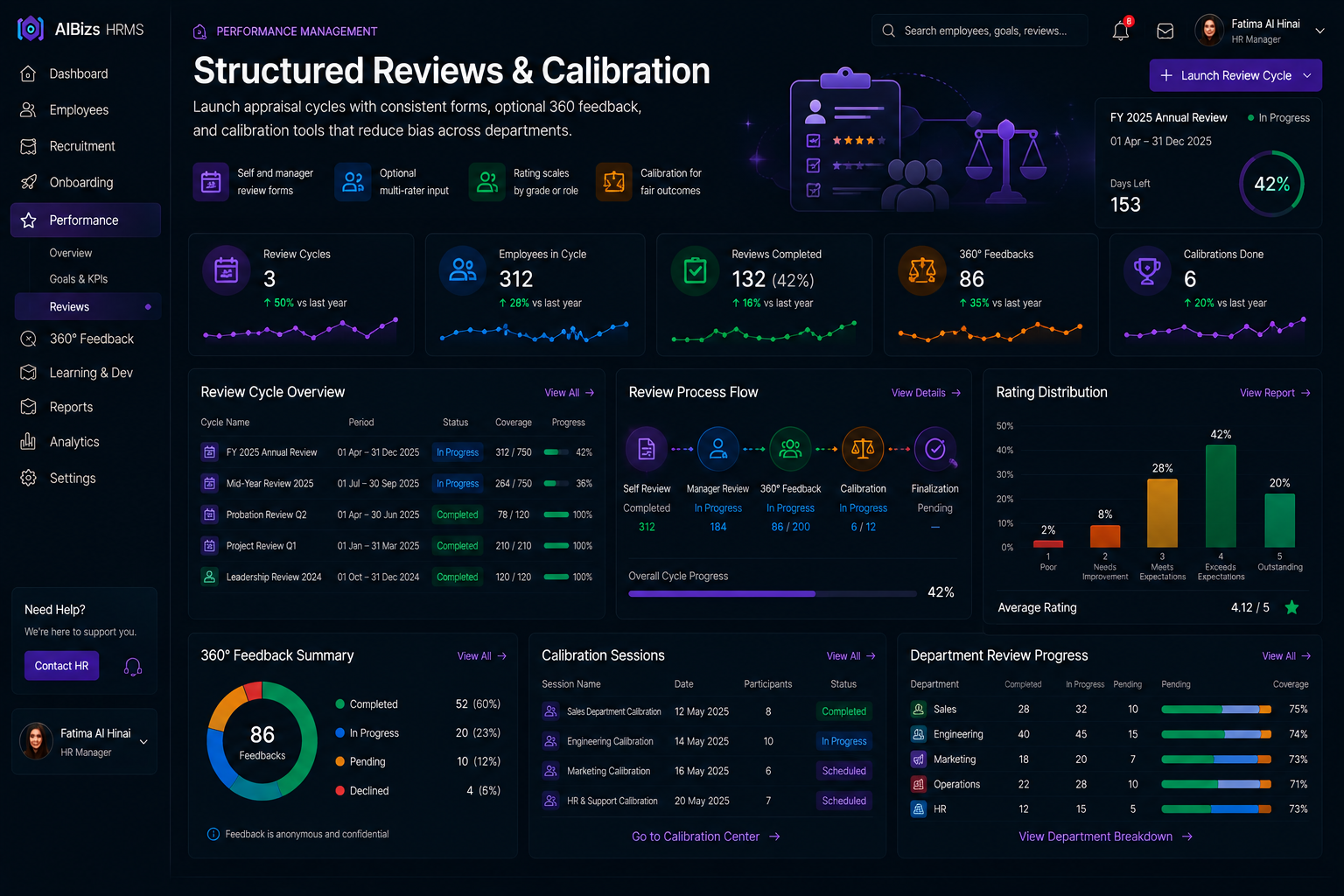
Performance reviews and calibration

Structured Reviews & Calibration

Launch appraisal cycles with consistent forms, optional 360 feedback, and calibration tools that reduce bias across departments.

  • Self and manager review forms
  • Optional multi-rater input
  • Rating scales by grade or role
  • Calibration for fair outcomes
Appraisal outcomes and development plans

From Rating to Action

Connect appraisal results to development plans, training needs, promotions, and increments — with dashboards leaders can trust.

  • Development plan creation
  • Completion and distribution analytics
  • Links to HR outcome workflows
  • Continuous feedback notes

End-to-end process

01
Launch

Define cycle, forms, scales, and participants.

02
Set Goals

Agree KPIs/OKRs with managers.

03
Review

Complete evaluations and optional 360 input.

04
Act

Calibrate ratings and create development plans.

  • Goal & KPI tracking
  • Review forms
  • 360 feedback
  • Calibration tools
  • Continuous feedback
  • Development plans
  • Performance analytics
  • HR outcomes link

Module 07

Recruitment

Manage requisitions, job postings, interviews, scorecards, and offers in one place — then hand accepted candidates straight into onboarding.

Shorter time-to-hire. Better quality decisions. Seamless joining.

Open full module page
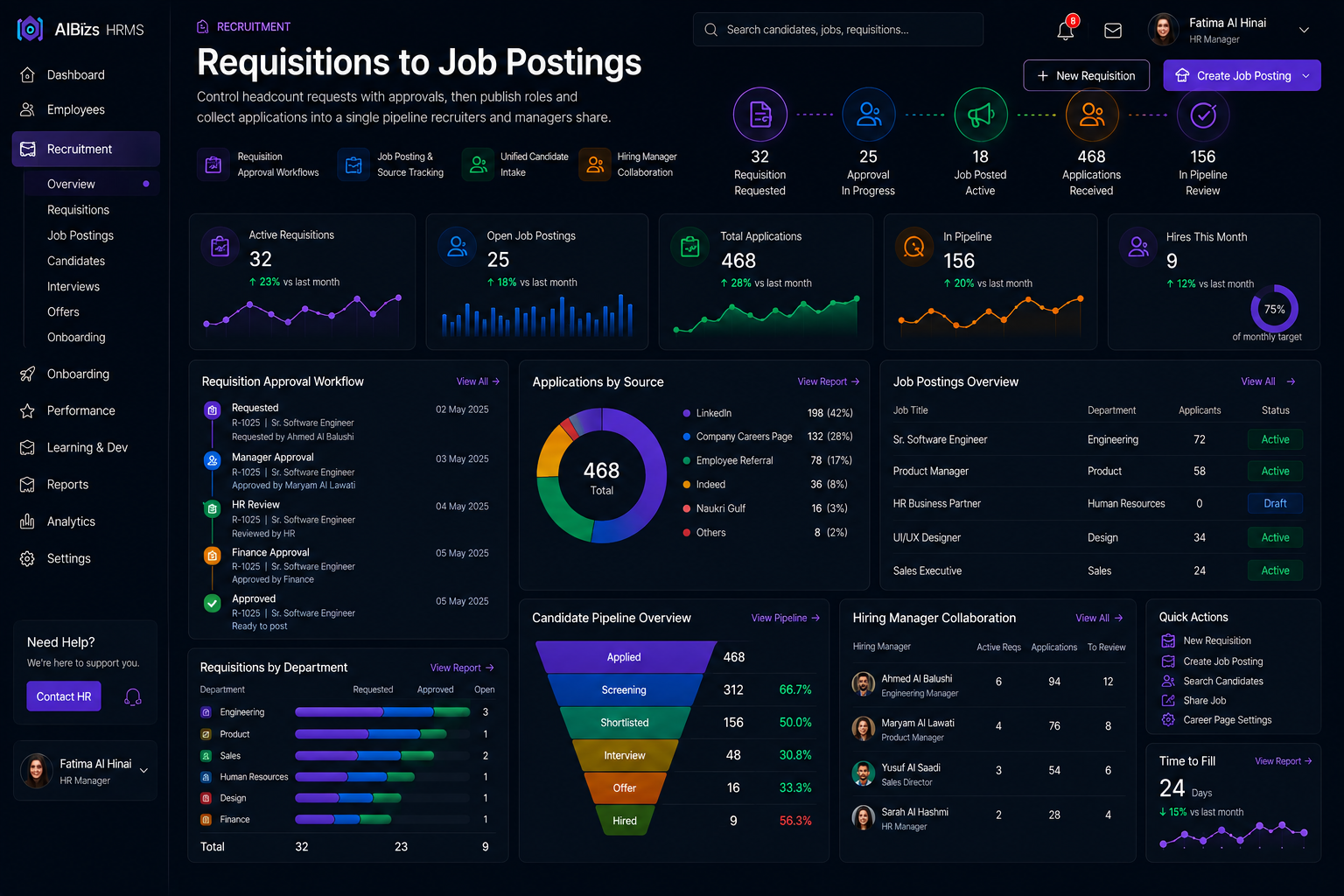
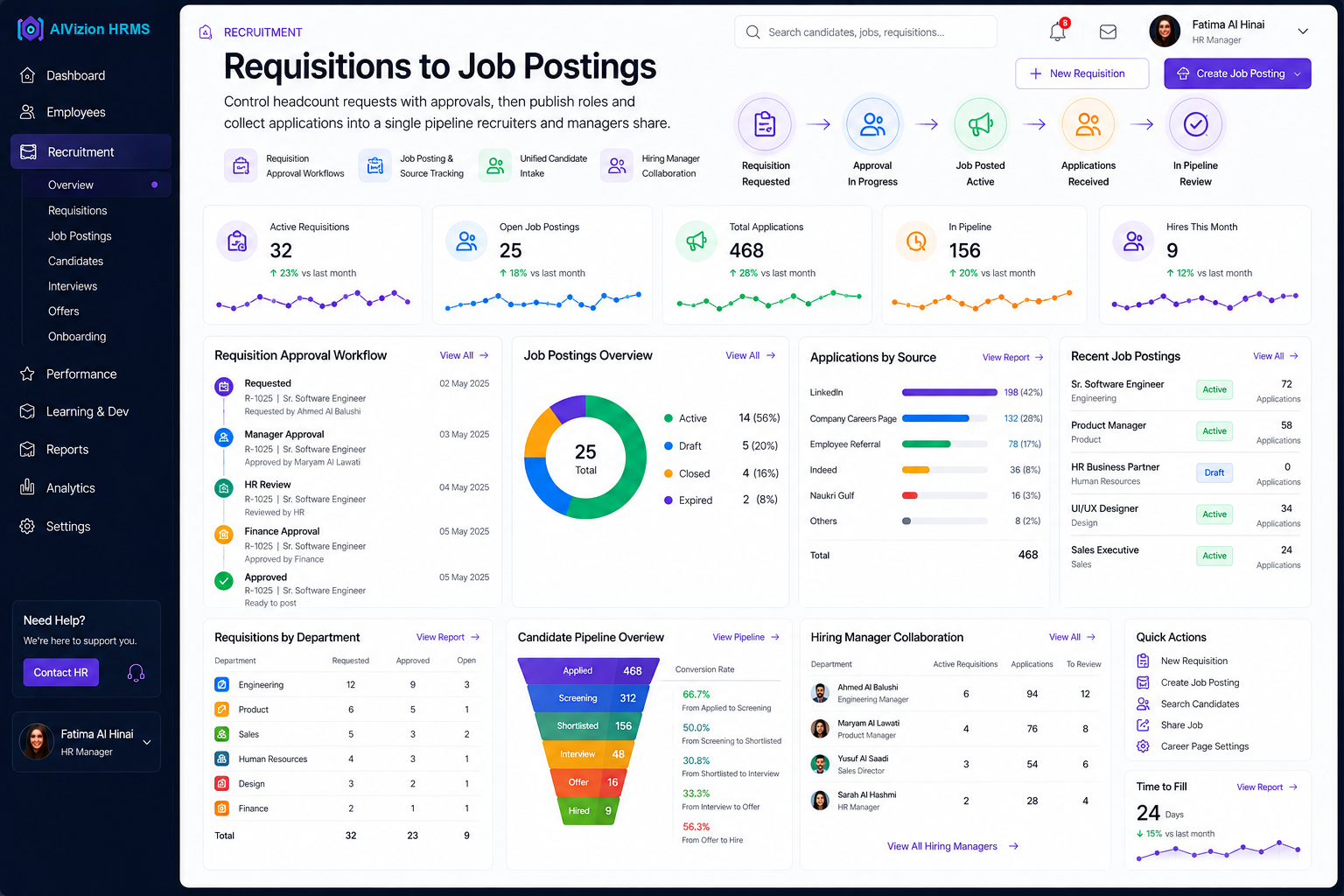
Recruitment talent pipeline dashboard
Job requisitions and headcount approvals

Requisitions to Job Postings

Control headcount requests with approvals, then publish roles and collect applications into a single pipeline recruiters and managers share.

  • Requisition approval workflows
  • Job posting and source tracking
  • Unified candidate intake
  • Hiring manager collaboration
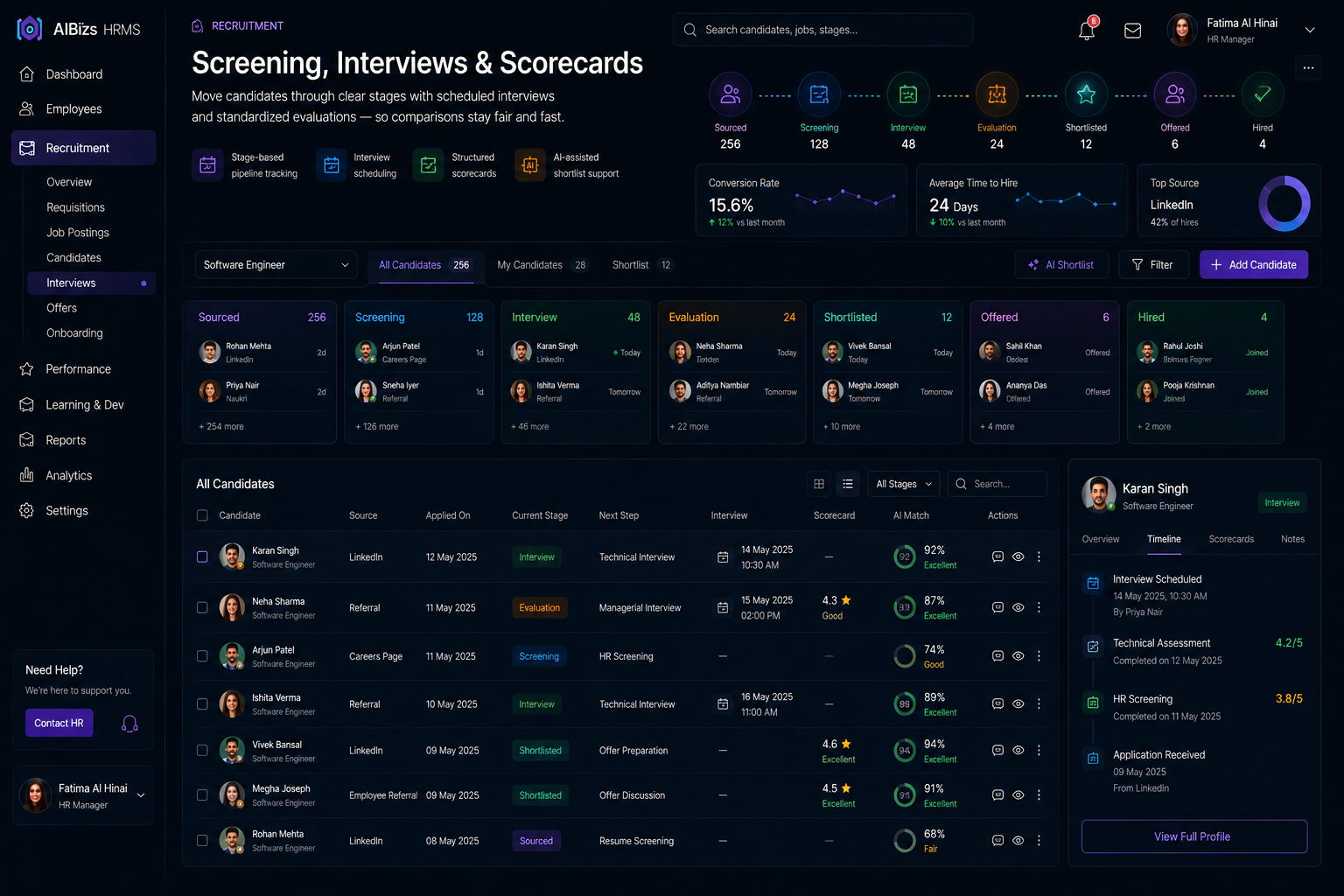
Interview scorecards and screening

Screening, Interviews & Scorecards

Move candidates through clear stages with scheduled interviews and standardized evaluations — so comparisons stay fair and fast.

  • Stage-based pipeline tracking
  • Interview scheduling and reminders
  • Structured evaluation scorecards
  • AI-assisted shortlist support
Offer management and onboarding handoff

Offers & Onboarding Handoff

Issue offers, track acceptance, and push hired candidates into onboarding checklists — cutting the gap between yes and day one.

  • Offer generation and tracking
  • Acceptance status visibility
  • Instant onboarding handoff
  • Time-to-hire analytics

End-to-end process

01
Requisition

Approve headcount and define the role.

02
Attract

Publish jobs and collect applications.

03
Evaluate

Screen, interview, and score candidates.

04
Hire

Send offers and hand off to onboarding.

  • Requisition management
  • Job postings
  • Candidate pipeline
  • Interview scheduling
  • Evaluation scorecards
  • Offer management
  • AI-assisted screening
  • Onboarding handoff

Module 08

Mobile Application

Give employees and managers a complete AIVizion HRMS mobile experience — self-service, geo-fenced clocking, approvals, leave, team management, and AI chat — available on both iOS and Android.

iOS & Android. Self-service everywhere. Approvals on the go.

Open full module page
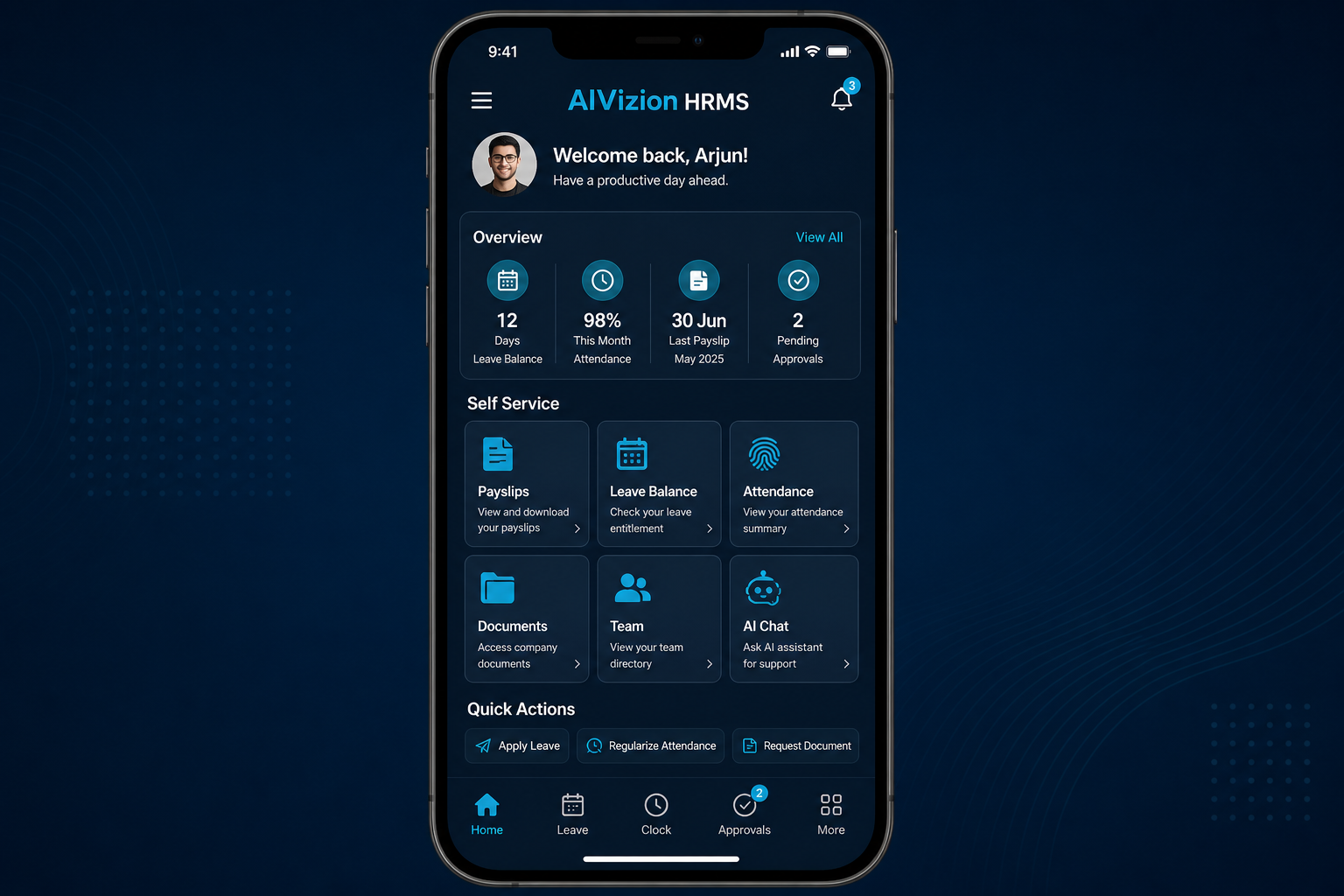
AIVizion HRMS mobile application home screen on iOS and Android
Mobile self-service home with leave and payslip actions

Complete Mobile Self-Service

Employees handle everyday HR tasks from their phone — profiles, payslips, documents, leave applications, and request tracking — without waiting on desktop or email.

  • Available on both iOS and Android
  • Full employee self-service on mobile
  • Leave application and leave calendar
  • Payslips, documents, and profile updates
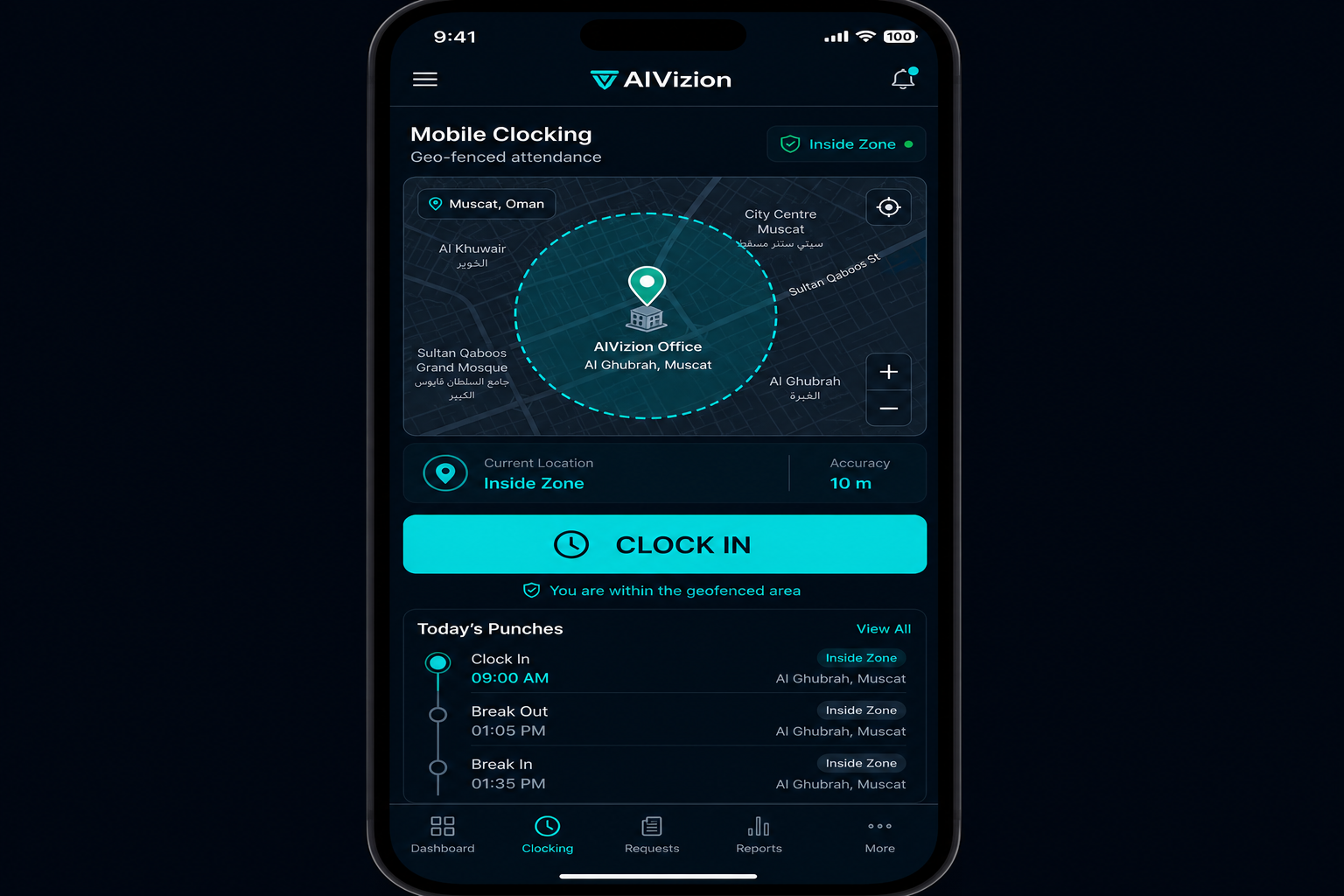
Mobile clocking screen with geo-fence map

Mobile Clocking with Geo-Fencing

Capture attendance accurately with mobile clock-in/out protected by geo-fencing — so punches are only accepted within approved work locations.

  • Clock in and out from the mobile app
  • Geo-fence validation for work sites
  • Location-aware attendance records
  • Manager visibility of field attendance
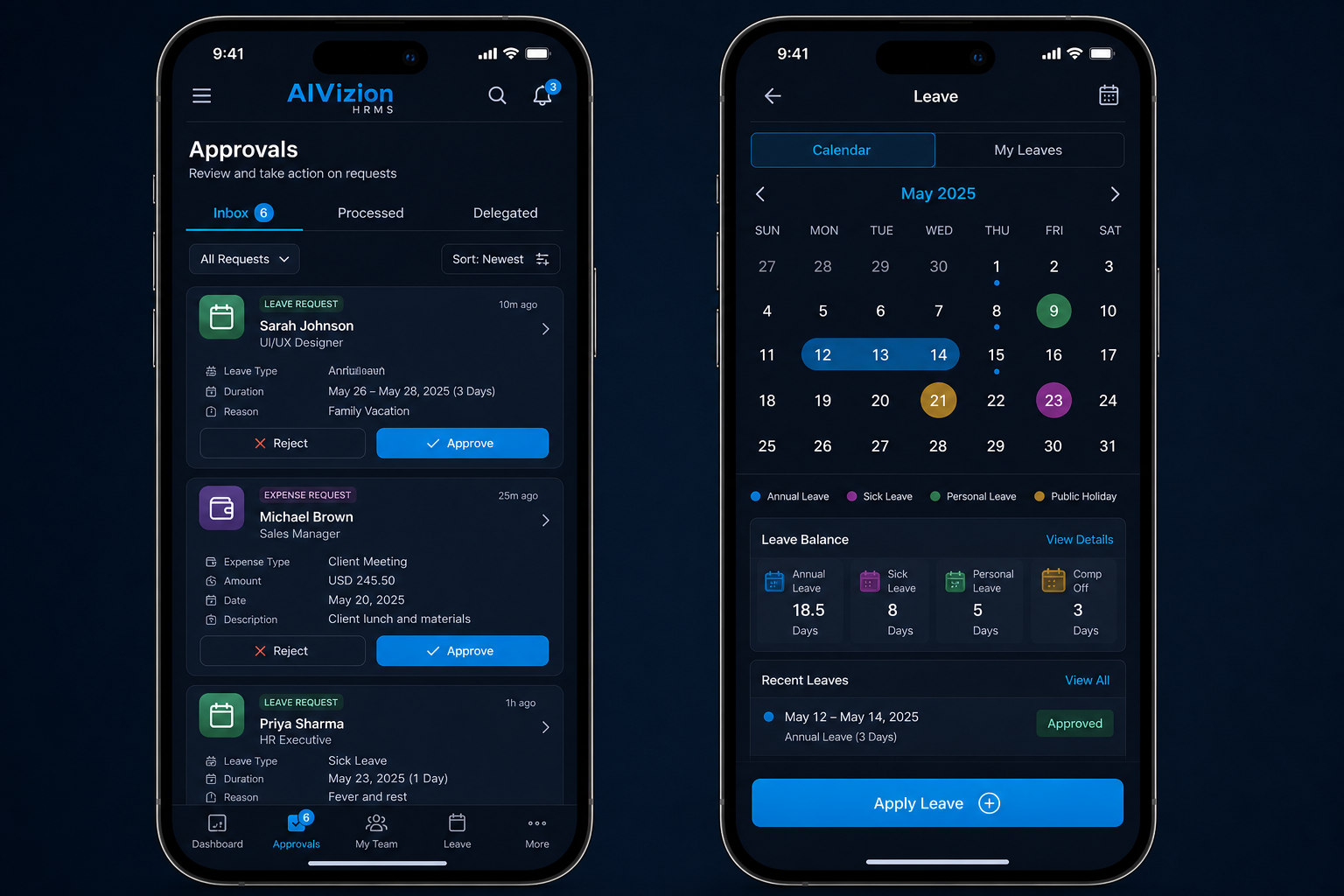
Mobile approvals inbox and leave calendar

Approvals, Leave Calendar & AI

Managers approve requests anywhere, employees manage leave on a mobile calendar, and AI chat helps with questions and report building — keeping people operations moving outside the office.

  • All approvals available in the mobile app
  • Leave application and leave calendar
  • Team management for managers on the go
  • AI chat and AI-assisted report building

End-to-end process

01
Install & Sign In

Employees download the iOS or Android app and sign in securely.

02
Self-Serve Daily

Apply leave, view calendar, clock with geo-fence, and access documents.

03
Approve Anywhere

Managers clear leave and other requests from the mobile inbox.

04
Ask & Act with AI

Use AI chat and report building to get answers and team insights fast.

  • iOS app
  • Android app
  • Complete self-service
  • Geo-fenced clocking
  • Mobile approvals
  • Leave application & calendar
  • Team management
  • AI chat & reports

Platform capabilities

Shared foundations across every HRMS module

AI integration across modules
Role-based access control
Multi-company operations
Connected HR workflows
People & payroll analytics
Self-service on any device

Ready to present AIVizion HRMS to your team?

Share this brochure link, walk through the modules, or book a live demo with our team in Muscat.

Request a Demo